Telegram is a very popular social media platform that is widely used for messaging, communities, channels, and file sharing, but the same features also attract scammers. The worldwide popularity makes Telegram scams more common, even though the platform uses security measures to prevent any sort of fraudulent activity. If you are unsure about a message you received or a job offer that sounds too good to be true, you are at the right place. We are here to guide you through what Telegram scams are and how to avoid them!
Quick Summary
Telegram scams are fraud attempts that use Telegram messages, groups, channels, bots, or fake accounts to steal money, account access, crypto, or personal data.
While Telegram is being used by bad actors for scammers, that doesn’t mean the whole platform is a scam. Telegram is a messaging platform used for personal chats, communities, news channels, crypto discussions, customer groups, and business communication. The risk comes from people who abuse the platform’s features.
So, are there scams on Telegram? Yes. You can find scams on Telegram in the same way you can find scams on email, WhatsApp, Facebook, Instagram, or online marketplaces.
Telegram gives scammers three things they like: reach, speed, and believable community spaces.
A fraudster can create a channel, copy a brand logo, add fake testimonials, and post messages that look like a normal community update. Telegram groups can also grow very large, and public groups can be joined by anyone, which makes them useful for real communities and attractive to scammers at the same time.
Telegram users can create groups of up to 200,000 members, broadcast through channels with unlimited subscribers, share large files, and use bots inside the app. The platform also warns users to treat bots like strangers and never give them passwords, Telegram codes, or bank account numbers.
We’ve seen many different Telegram scam cases before, reported to us, went viral online, or heard from our colleagues. Based on our experience, here are 11 Telegcram scams you should avoid:
Crypto scams are becoming more common on every platform, but they are more popular on Telegram as there are various crypto groups and channels. Most of the users join these groups and channels to learn or teach, but there are also some bad actors mixed in.
Crypto scams usually promise fast profits, “guaranteed returns,” private signals, or access to a trading expert. The group may show screenshots of fake profits, fake withdrawal pages, or fake messages from members who claim they already made money. You may get moved from a public group to a private chat where someone tells you to deposit crypto into a platform you have never heard of. You should never do that.
The FTC warns that crypto investment scams often promise “zero risk” or big returns, and the fake investment website may let you log in but block withdrawals or demand extra fees.
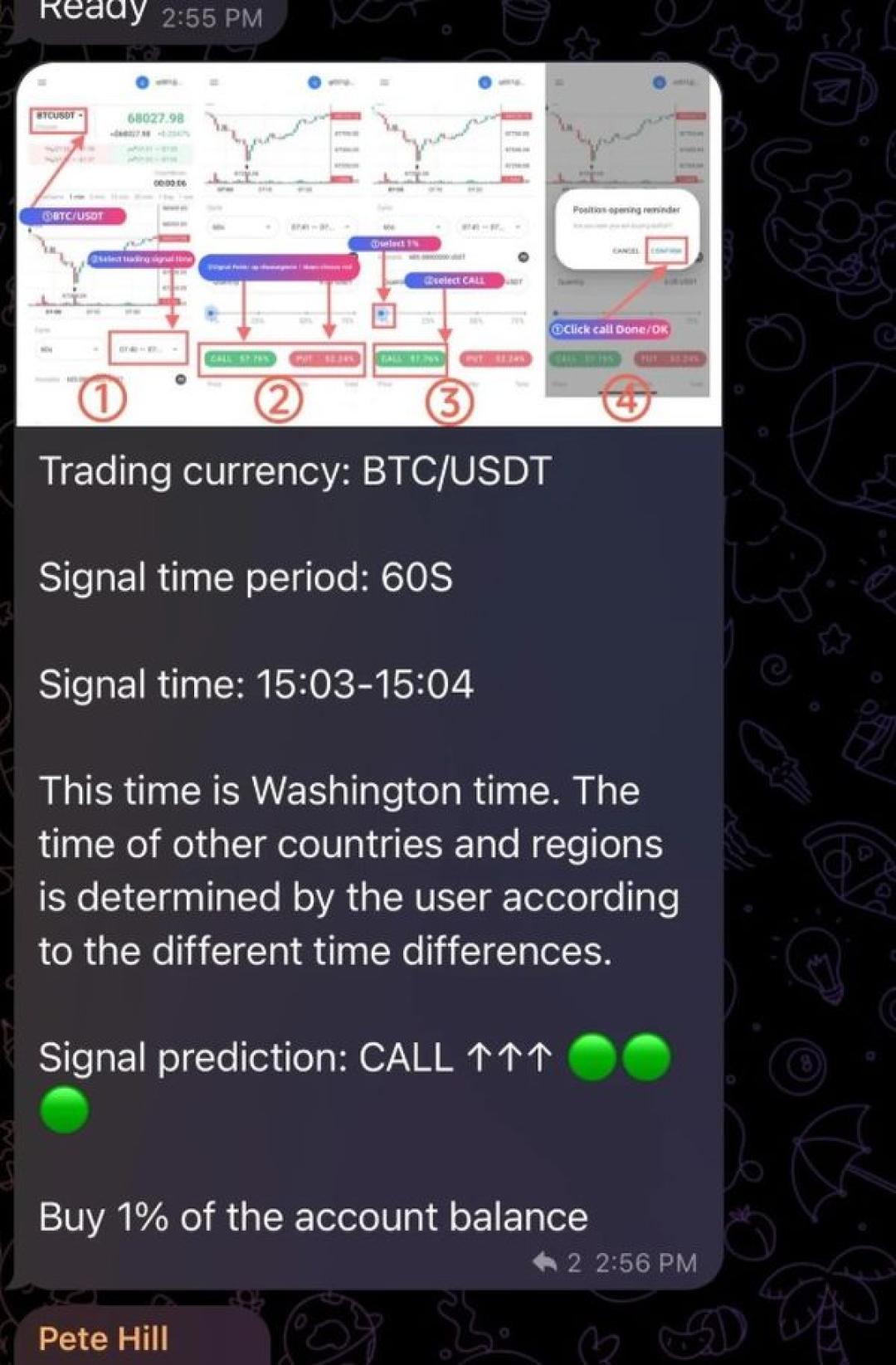
Image Credit: Reddit
Task job scams are one of the most common Telegram app scams because they are mostly smaller than others, like crypto, and look safe at first glance.
In these types of scams, you could get a message often saying you can earn money by rating products, liking videos, “boosting” apps, or completing simple online tasks. The platform may show fake earnings inside an app or website. Some victims even receive a small first payment to build trust.
Task scams can start through Telegram, WhatsApp, text, or social media. The scammer then asks users to deposit their own money, usually in crypto because it is harder to trace, to unlock the next task or withdraw fake earnings.
A real employer does not ask you to pay so you can get paid. If a Telegram job offer requires you to pay a deposit, withdrawal fee, training fee, wallet transfer, or crypto payment, approach cautiously and don’t send money to strangers.
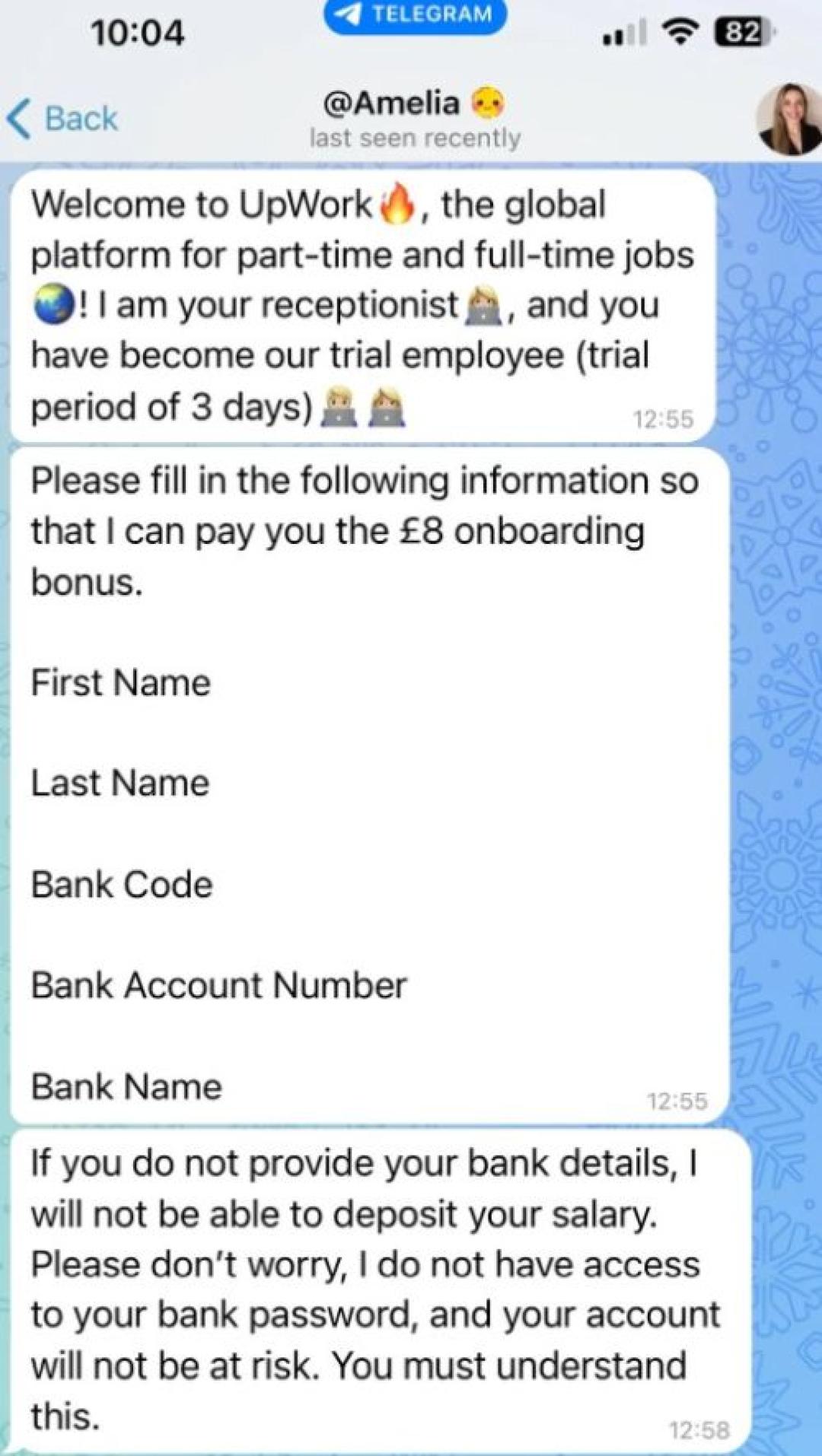
Image Credit: Reddit
When you join a group or ask a question in a channel, you may sometimes get a direct message from a person who claims to be an admin or a support representative. There is a strong possibility that the person is a scammer.
They may say your account needs verification, your wallet has an issue, your payment failed, or your membership will be removed unless you act fast.
The goal is usually one of these:
Real support teams rarely need to DM you first from a personal-looking account. A real admin also does not need your password, seed phrase, login code, or banking details. Don’t fall for those messages!
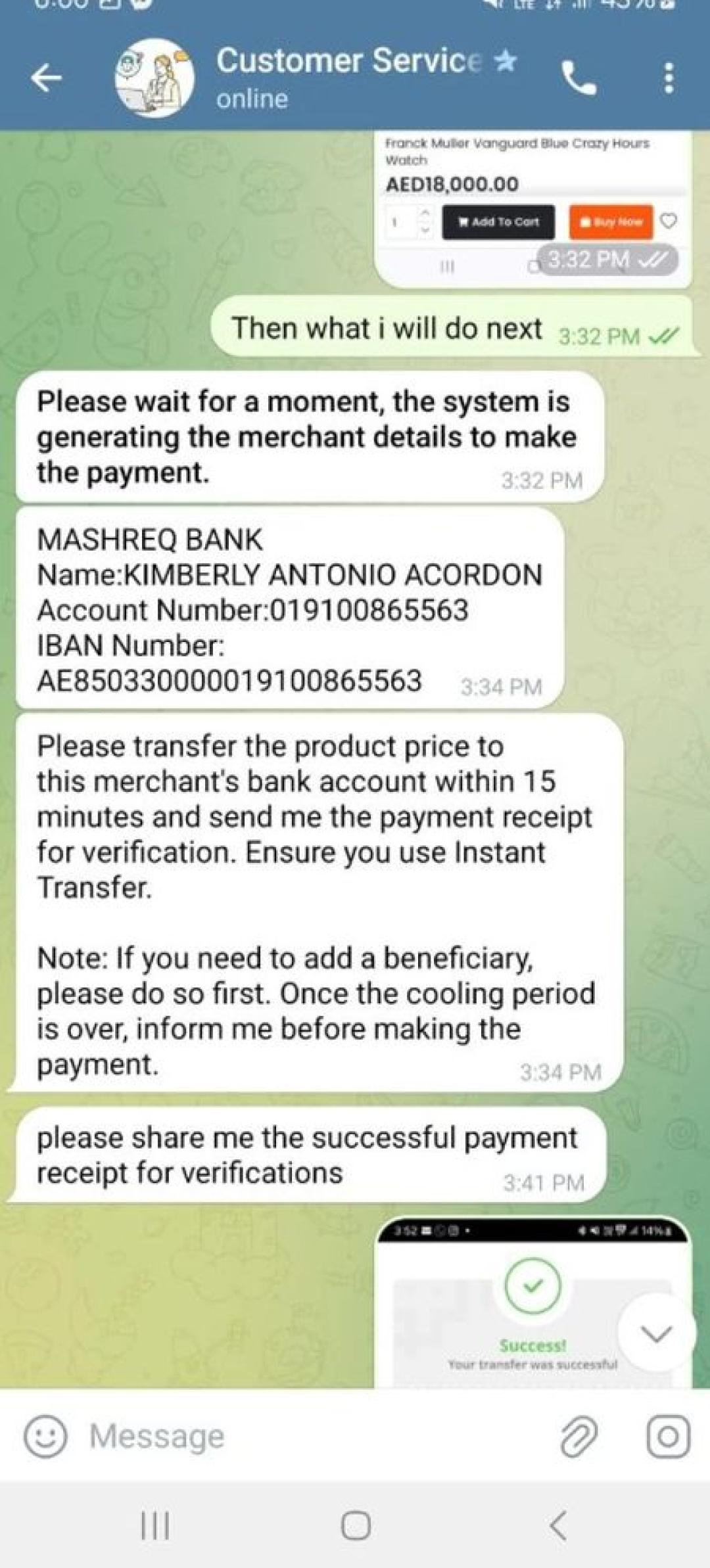
Image Credit: Reddit
Phishing means a fake page tries to steal your login details, payment data, or account codes.
On Telegram, phishing links often arrive as fake verification pages, fake login screens, fake giveaways, fake trading dashboards, or fake support forms. The page may use Telegram branding, a known crypto logo, or a copied company name.
A phishing link may ask for:
Never enter sensitive data through a link sent by a stranger, a fake admin, or a public group. Open the official website yourself through your browser, or check the link first through a scam checker.
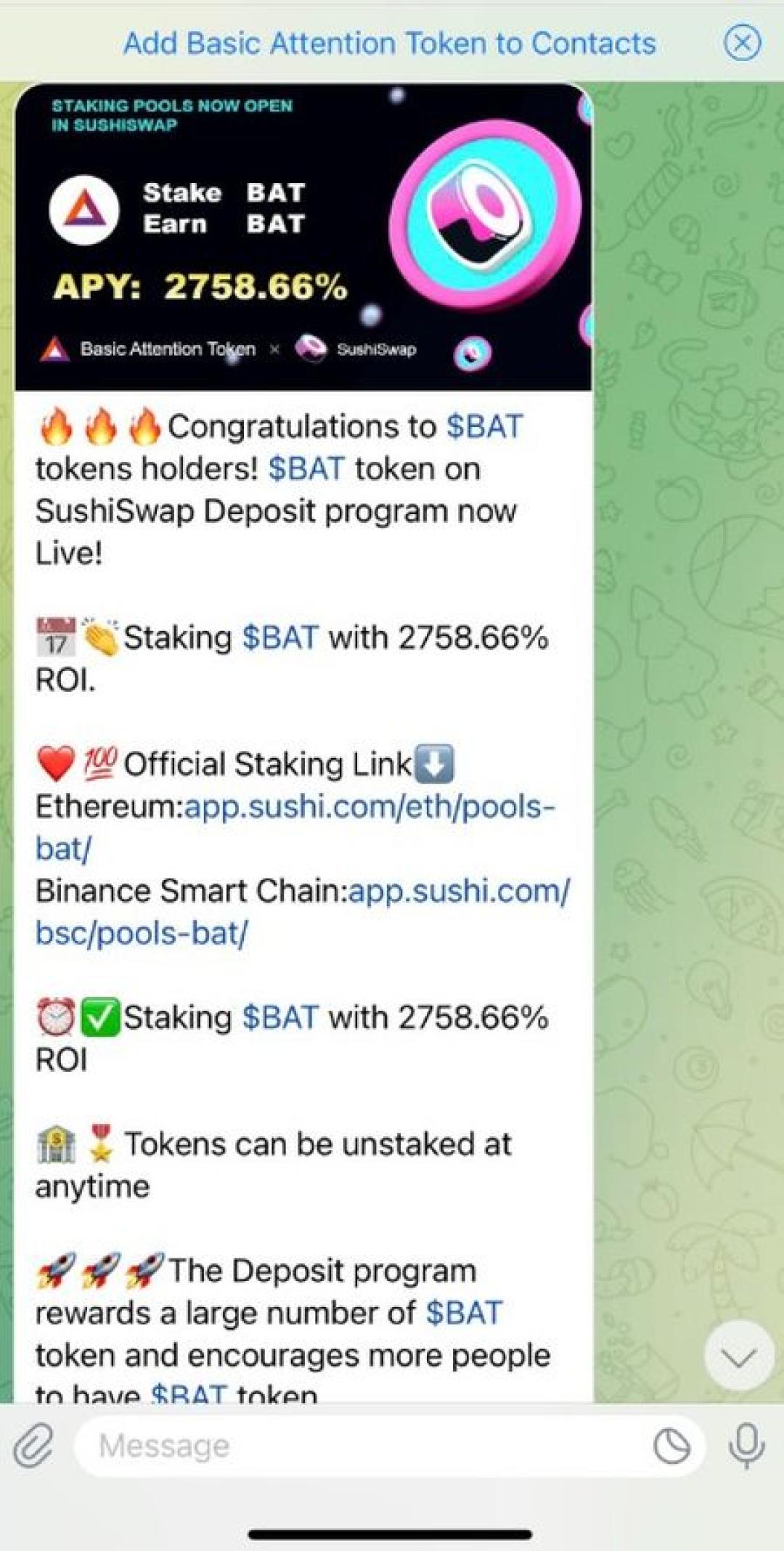
Image Credit: Reddit
These scams go after your account, not your money. The money could be involved in the second part, where they use the stolen accounts to reach out to people.
The scammer asks for a code “to verify your account,” “unlock a reward,” “confirm your identity,” or “protect your profile.” That code may be a real Telegram login code. Once you share it, the attacker can sign in as you.
Telegram advises users to turn on Two-Step Verification. Follow these steps to enable 2FA:
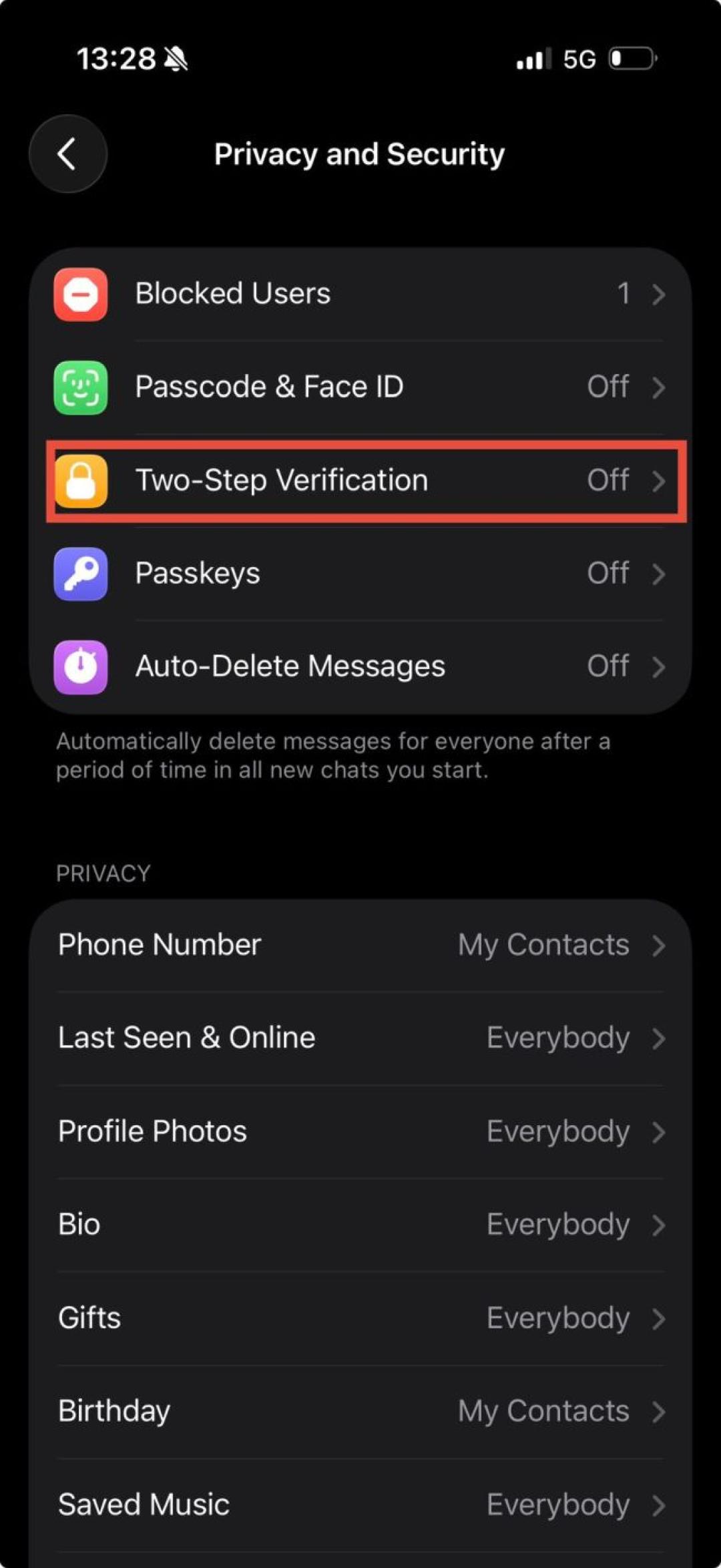
Make sure Two-Factor Authentication is turned on in the setting you see above (Image Credit: ScamAdviser)
It also advises users to check your active sessions. To do that, follow these steps:
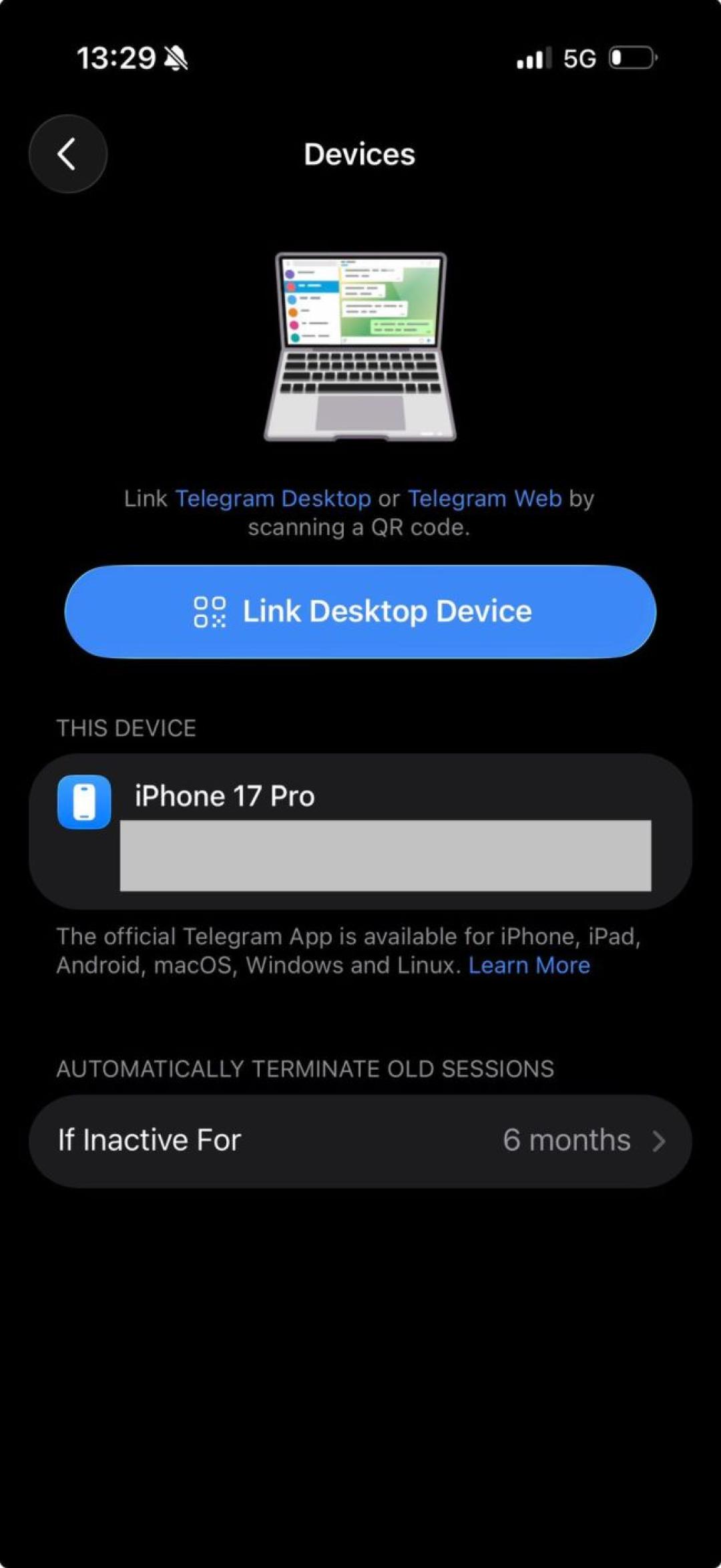
Scan all of the devices you see on this page and make sure there aren't any unwanted PCs or mobile devices (Image Credit: ScamAdviser)
Once attackers control your account, they can message your contacts, join groups under your name, ask friends for money, or use your profile to run new scams.
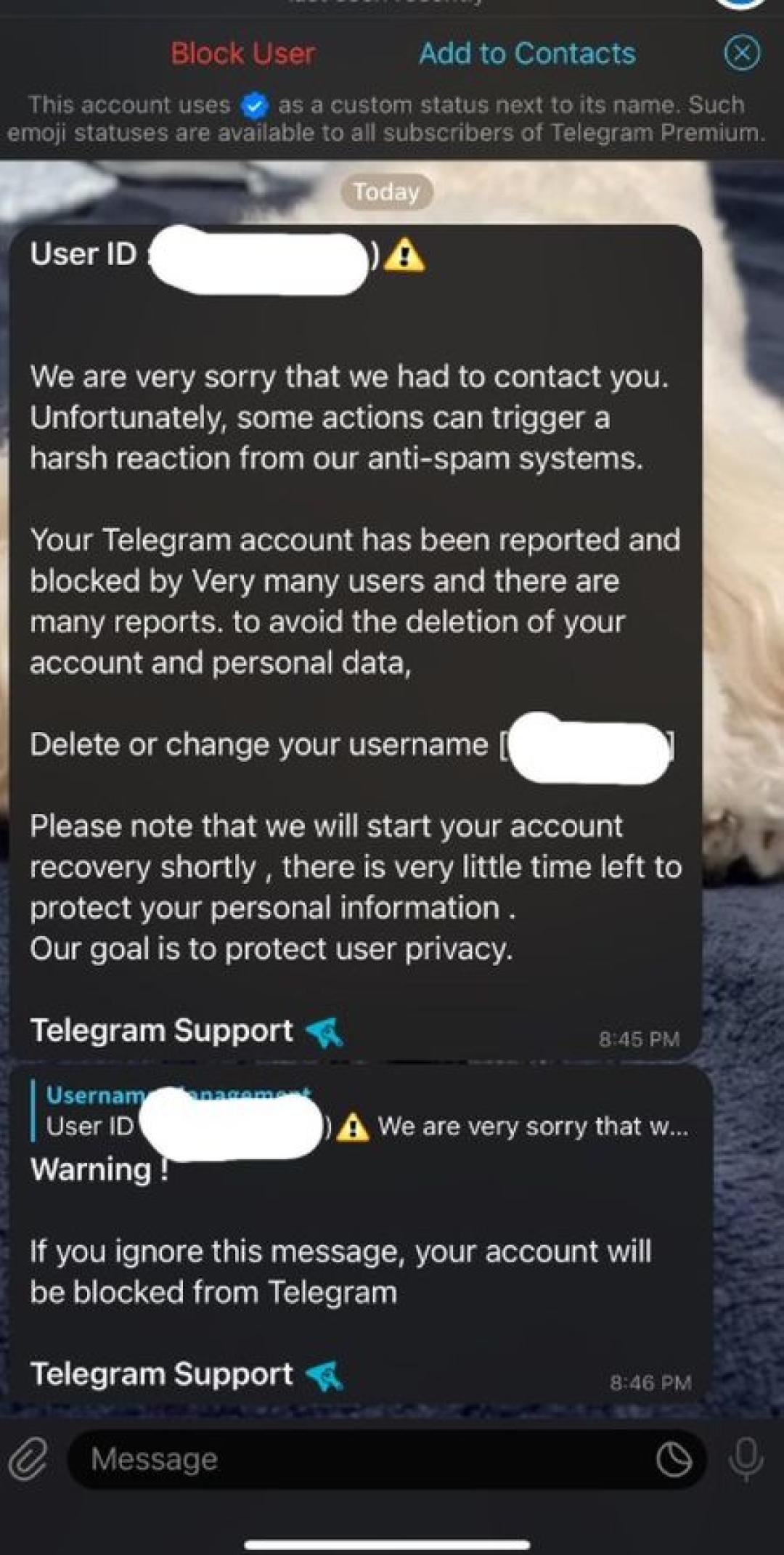
Image Credit: Reddit
Fake channels copy the look of real brands, exchanges, influencers, projects, or news outlets.
They may use a similar logo, a near-identical name, and copied posts from the real account. Then they add scam posts between normal-looking updates. These posts may promote fake token sales, “VIP signals,” paid trading groups, discount offers, or early access deals.
Check these before you trust a channel:
A real brand should be verifiable outside Telegram.
Airdrop scams promise free crypto, NFTs, or tokens if you connect your wallet. Guess what? They are scams!
The fake page may look polished. It may use phrases like “claim now,” “limited allocation,” or “connect wallet to verify eligibility.” Just like most of the other scams. Once you connect your wallet and approve a transaction, the site may drain your assets.
Never enter a seed phrase into any website. A seed phrase is the master recovery key for a crypto wallet. Anyone who gets it can take the funds.
Before you connect a wallet, check the domain, search the project name, and confirm the link from the project’s official website or verified social account.
Romance scams are very common across all social media platforms, including Telegram. It is one of the easiest scams out there.
The person may message you after a group chat, social media exchange, dating app match, or “wrong number” conversation. The chat may continue for days or weeks before money enters the story.
The request often sounds personal:
The FTC warns that if someone you meet online asks you for money or offers crypto investment advice, you should treat it as a scam signal.
Telegram allows file sharing, and that makes file-based scams easier to disguise.
Telegram says users can send files of many types, and it warns users to be careful when opening files from bots.
Scammers may send:
Only download Telegram from official app stores or telegram.org. Do not install files sent by strangers in groups or private messages.
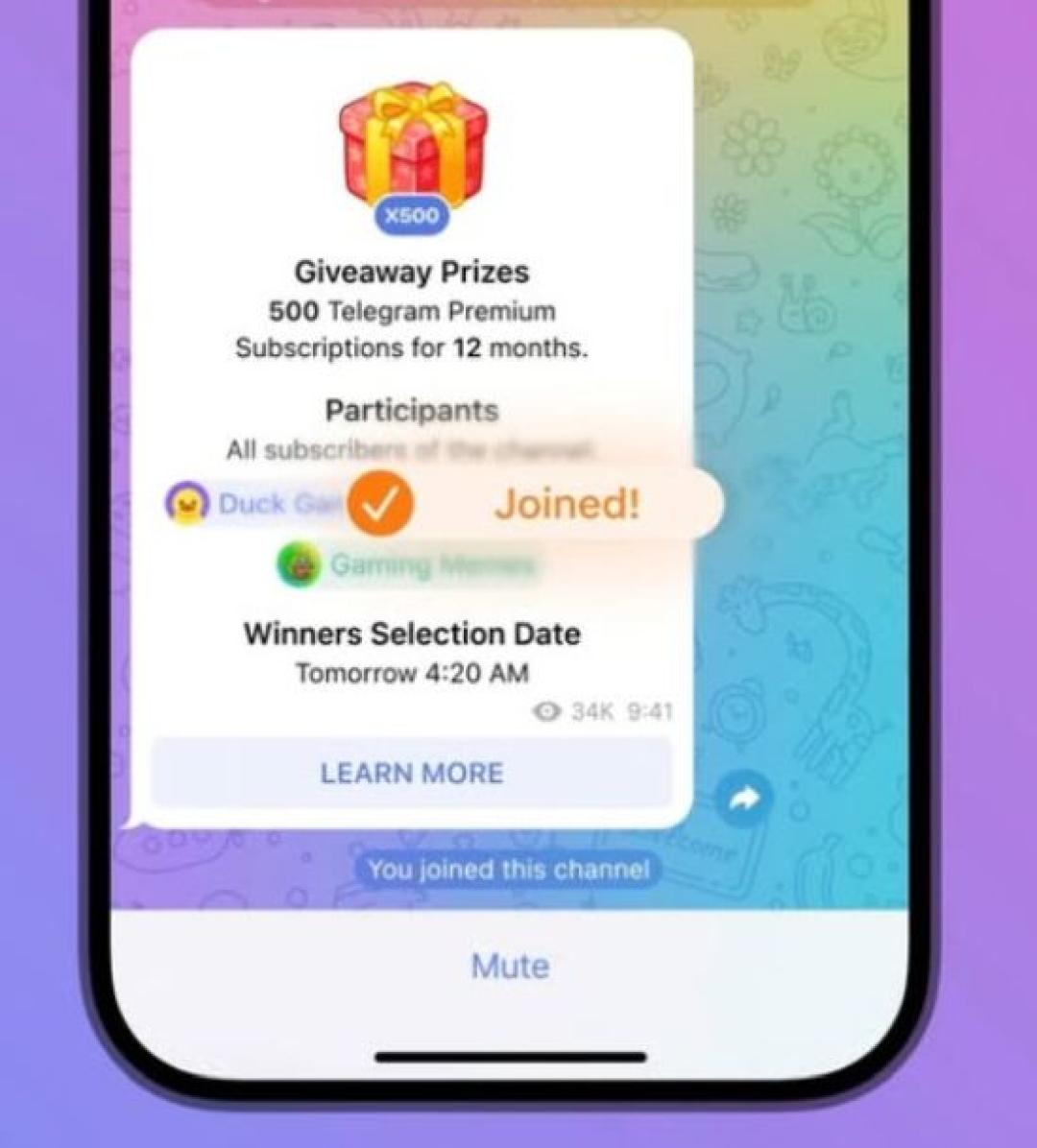
You could see various giveaway scams on many platforms, and Telegram is not an exception, just like many others on this list. These scams promise free crypto, gift cards, Telegram Premium, electronics, or cash.
The message usually says you won something, but you must pay a small fee, verify your account, connect a wallet, or enter card details. Some scams use fake celebrity names, fake exchange accounts, or fake project channels.
The rule is simple: a real prize does not require you to pay a release fee through crypto, gift cards, or a random payment link.
Recovery scams target people who already lost money.
After you post about a Telegram scam, someone may contact you and claim they can recover your crypto, trace the wallet, hack the scammer, or work with law enforcement. They often ask for an upfront fee.
Be careful with anyone who claims they can guarantee recovery. Crypto transfers are hard to reverse, and fraud recovery is often used as a second scam.
If you lost money, report the case through official channels and contact your bank, card provider, exchange, wallet provider, or local cybercrime reporting body. Do not pay a stranger who contacts you after the loss.
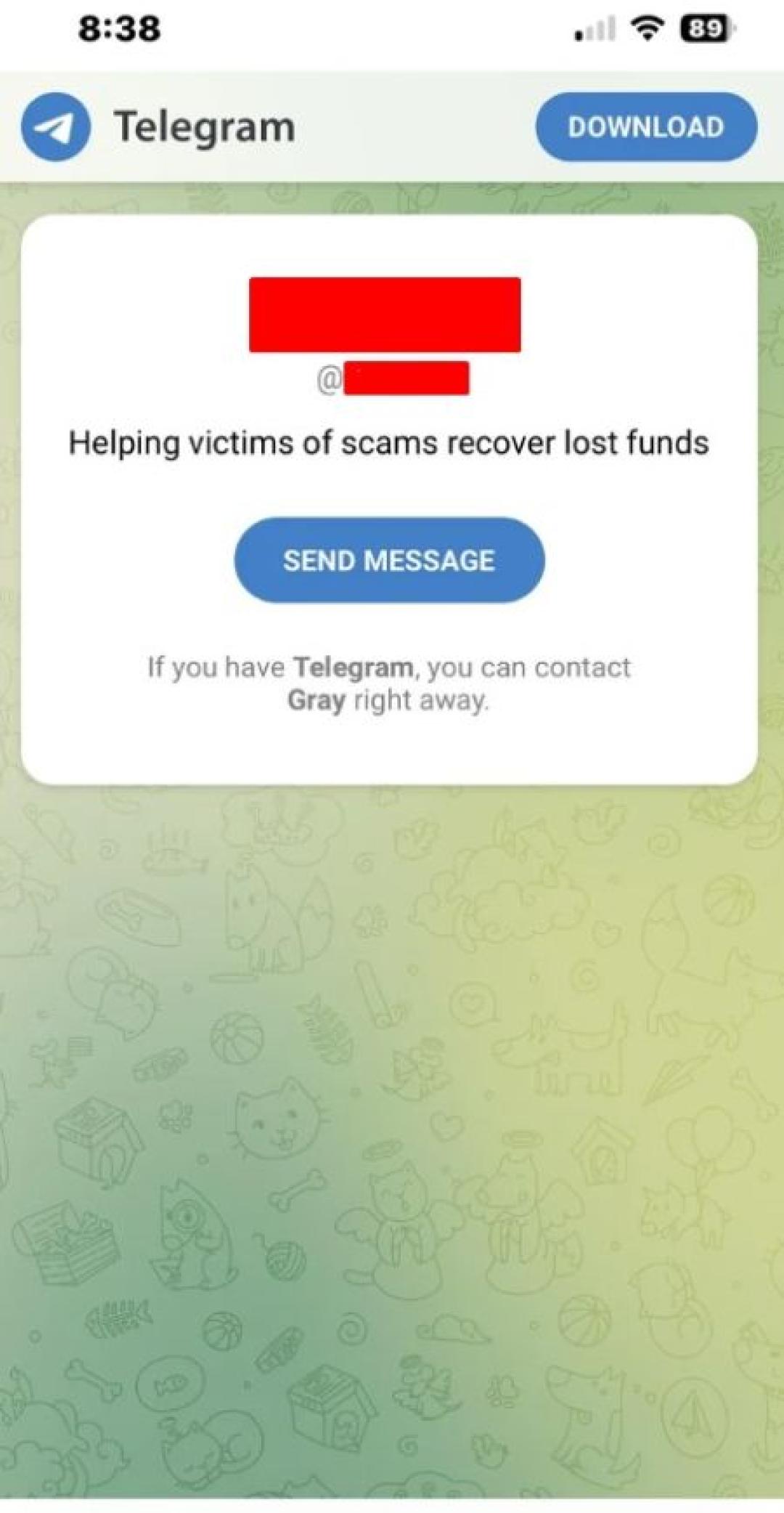
Image Credit: Reddit
The best way to avoid scams on Telegram is to slow the process down before you click, pay, or share information.
Start with the link. Copy the website address and check it with ScamAdviser before you open an account, buy anything, connect a wallet, or send money. ScamAdviser lets users check websites, phone numbers, crypto details, and IBANs, and users can also report scams to help warn others.
Then check the channel. A real company should link to its Telegram group from its official website. A copied logo or similar username does not prove anything.
Next, check the payment request. Crypto, gift cards, wire transfers, and “refundable” deposits are common scam payment signals. A request for a credit card can also be risky if the checkout page belongs to a strange domain.
Use this quick Telegram scam check:
What to check What to look for Message Pressure phrases like “act now,” “last chance,” or “limited spots” Sender New profile, copied logo, username mismatch, no public history Group or channel Fake engagement, disabled comments, no official website link Website New domain, hidden owner, poor reviews, low trust score Payment Crypto, gift cards, upfront fees, withdrawal fees, strange card forms Data request Telegram code, password, seed phrase, credit card, ID documentYou can report scams within the application.
You can report spam messages, and Telegram says reported spam messages are forwarded to moderators for review. Telegram also says users can contact @notoscam, where “reports about scammers are welcome.”
Use this reporting flow:
Do not warn the scammer before you collect evidence. They may delete the chat, change usernames, or move to a new channel.
Telegram is safe enough for regular messaging when you use privacy measures like account protection and common scam checks.
The bigger question is whether the person, channel, bot, or link you are dealing with is safe. Telegram can protect messages in transit, but it cannot make a fake investment real, verify a stranger’s job offer, or protect you after you willingly send money to a scam wallet.
Set your account up safely:
If a Telegram message sends you to a website, payment page, crypto platform, or fake shop, check it with ScamAdviser before you trust it.
Is Telegram used for scams?
Yes, Telegram is used for scams by fraudsters who abuse groups, channels, bots, usernames, and direct messages to target users.
Are there scams on Telegram?
Yes, scams on Telegram include crypto investment scams, fake job offers, phishing links, fake admins, account takeover attempts, and fake giveaway channels.
Why is Telegram used for scams?
Telegram is used for scams because large groups, public channels, bots, fast messaging, and username-based contact make it easy to reach people quickly.
How do I report scams on Telegram?
You can report a scam inside the Telegram app, send evidence to @notoscam, and report any connected website or payment page to ScamAdviser.
Is Telegram safe for crypto groups?
Telegram can host legitimate crypto groups, but any group that promises “guaranteed returns,” asks for your seed phrase, or demands withdrawal fees should be treated as unsafe.
Can a Telegram scam steal my account?
Yes, a Telegram scam can steal your account if you share a login code, password, or fake verification form.
What should I do if I paid a Telegram scammer?
Save all evidence, contact your bank or crypto provider immediately, report the account on Telegram, and report the connected website or wallet where possible.
Can ScamAdviser check Telegram links?
Yes, you can paste suspicious links into ScamAdviser and check if they are safe or not.
Jamie James is an alias of an experienced technology writer whose pieces and reviews appeared in various media outlets, such as CNET, Softonic, gHacks, and more. He has been covering technology news, evergreen guides, and pieces on how to stay safe online for many years.