
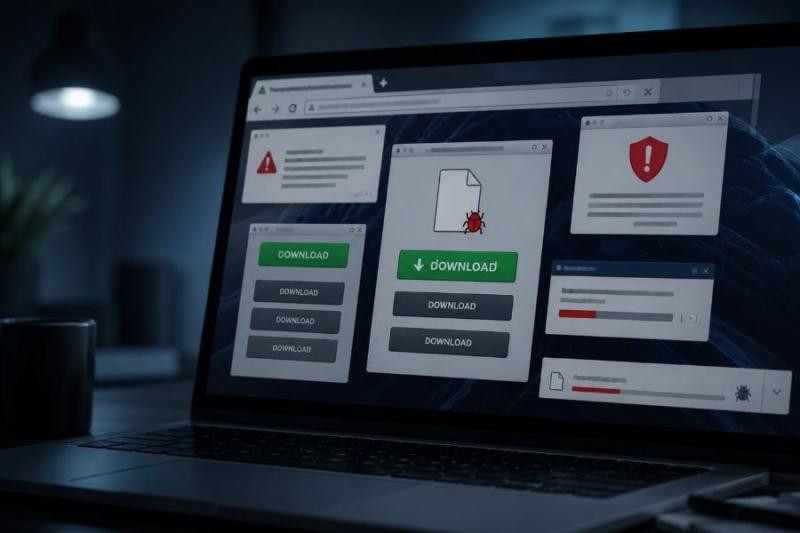
You find the file you have been looking for. Maybe it is a PDF, an old game ROM, an APK, or a program you need for work. The website looks fine at first. There is a logo you recognize, a big “Download” button, and maybe even screenshots of the software.
That is where things get tricky. A convincing page does not tell you who actually owns it, and the file waiting behind that button may have very little to do with what you searched for. Fake download website scams often work because you already want the file, so clicking feels like the natural next step.
Quick Summary
You do not always land on a fake download site because you were browsing somewhere suspicious. You may simply search for a popular program and click one of the first results.
Some scam sites copy the real software page almost completely. The branding looks familiar, the screenshots seem right, and even the version number may match. Other sites do something simpler: they fill the page with ads that look almost identical to the real download button.
Search ads can play a part too. The FTC has documented fake software advertisements that sent people to lookalike websites or malicious downloads. This is why going straight to the software company’s website is usually safer than searching for “[software name] download” and trusting whichever result appears first.
There is another trick showing up on suspicious sites as well. A page may claim that you need to complete a CAPTCHA, then tell you to open Windows tools or paste a command to “verify” yourself. Real CAPTCHA checks do not need you to run commands on your computer.
Before you trust an unfamiliar download page, you can also check the website with ScamAdviser and see what is known about the domain.
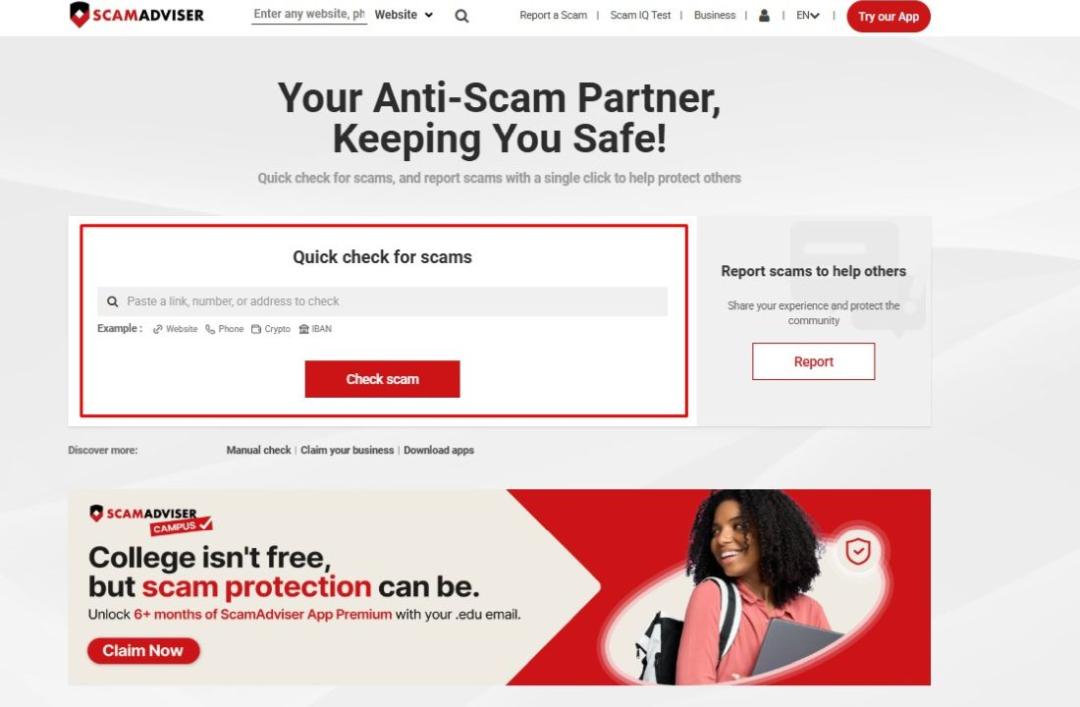
Go to ScamAdviser’s homepage, put the website link in the box, and hit “Check Scam” (Image Credit: ScamAdviser)
Sometimes there is no single warning that tells you a site is bad. You may only notice several small things that do not quite add up.
Start with the domain. If you are downloading VLC, for example, check whether you are actually on the official VLC website rather than a domain with extra words such as “free-download,” “installer,” or “official-app.”
Then look at what happens when you click. If the button opens a new tab, jumps to another domain, asks for notification permission, or suddenly starts offering another program, stop and check where you are.
The filename can tell you a lot as well. If you wanted a PDF and the site gives you an .exe file, something is wrong. The same goes for a ROM site that suddenly gives you a Windows installer instead of the game file you expected.
Keep your built-in protections active too. Microsoft Defender SmartScreen checks downloads and websites against reputation information, while Google Play Protect checks Android apps for harmful behavior.
If you reached the download page through a strange message, advertisement, or redirect, it is also worth checking how to recognize a phishing scam before going any further.
You open a page and see one large green “Download” button in the middle. Easy enough. Then you scroll slightly and find another one. There may even be a third sitting inside an advertisement.
That does not automatically mean the website is malicious, but it should make you slow down.
Look for small labels such as “Ad” or “Sponsored.” On a desktop computer, hover over the button and check the address shown by your browser. If the website promises a file but the button sends you somewhere completely different, do not continue.
Also be careful with buttons that promise things such as “Fast Download” or “Recommended Download.” Quite often, the “recommended” option is actually a separate downloader or another piece of software you never asked for.
The page may say one thing while the file itself tells a different story.
A normal software download might come as an EXE, MSI, DMG, or PKG file, depending on your operating system. That can be perfectly legitimate when it comes from the real developer.
ZIP and RAR files need a little more attention because you cannot always see what is inside until you open the archive. Check the contents before running anything.
PDF sites deserve the same caution. If you click “Download PDF” and receive an installer, browser extension, or strange archive instead, leave the site.
APK files are Android application packages. They can be installed outside Google Play, but that means you need to pay closer attention to where the file came from and what the app asks permission to access.
Some APK websites distribute legitimate copies of Android apps. Others may host modified versions or completely different files.
If you are downloading an APK, check the developer name and app version first. Then look at what the app wants access to once you install it. A simple utility asking for unrelated permissions deserves a second look.
Be especially careful with versions labelled “premium unlocked,” “modded,” or similar. These files have been changed by someone other than the original developer, so you are trusting whoever modified them.
Google Play Protect also checks apps installed from outside Google Play. If a website tells you to switch Play Protect off before you can install its APK, treat that as a serious warning.
ROM sites can be messy because the file you want is often surrounded by advertisements, mirrors, download managers, and pop-ups.
Pay attention to what you actually receive. If you expected a ROM file but the website gives you an EXE installer or asks you to add a browser extension first, do not run it.
You may also see fake security messages claiming that your browser is outdated or that you need a special player before you can continue. Those prompts have nothing to do with downloading a ROM.
There are separate copyright questions around ROMs, depending on the game and how the file was obtained. From a security point of view, your first concern should be whether the website and the file match what you expected.
A download page may tell you that you need an extension before you can get the file. Sometimes it is described as a “PDF downloader,” “video tool,” or “download helper.”
Think about whether that request makes sense. Downloading an ordinary file should not require an extension with broad access to your browsing activity.
Chrome shows permission warnings when extensions request certain types of access. Read those prompts instead of clicking through them automatically.
You can also use the ScamAdviser app and browser extension when checking unfamiliar websites.
Downloading something suspicious does not always mean your device is immediately infected. What matters next is the type of file and whether it gets opened or executed.
Once malware runs, the outcome depends on what it was built to do. It may steal passwords, monitor activity, change browser settings, or install more unwanted software.
Some infections make themselves obvious. Others are designed to stay quiet while they collect information in the background.
If you want a deeper explanation of how infected files and links work, our malware scams guides cover the common methods in more detail.
I Downloaded a Suspicious File — What Should I Do?
First, work out how far you got.
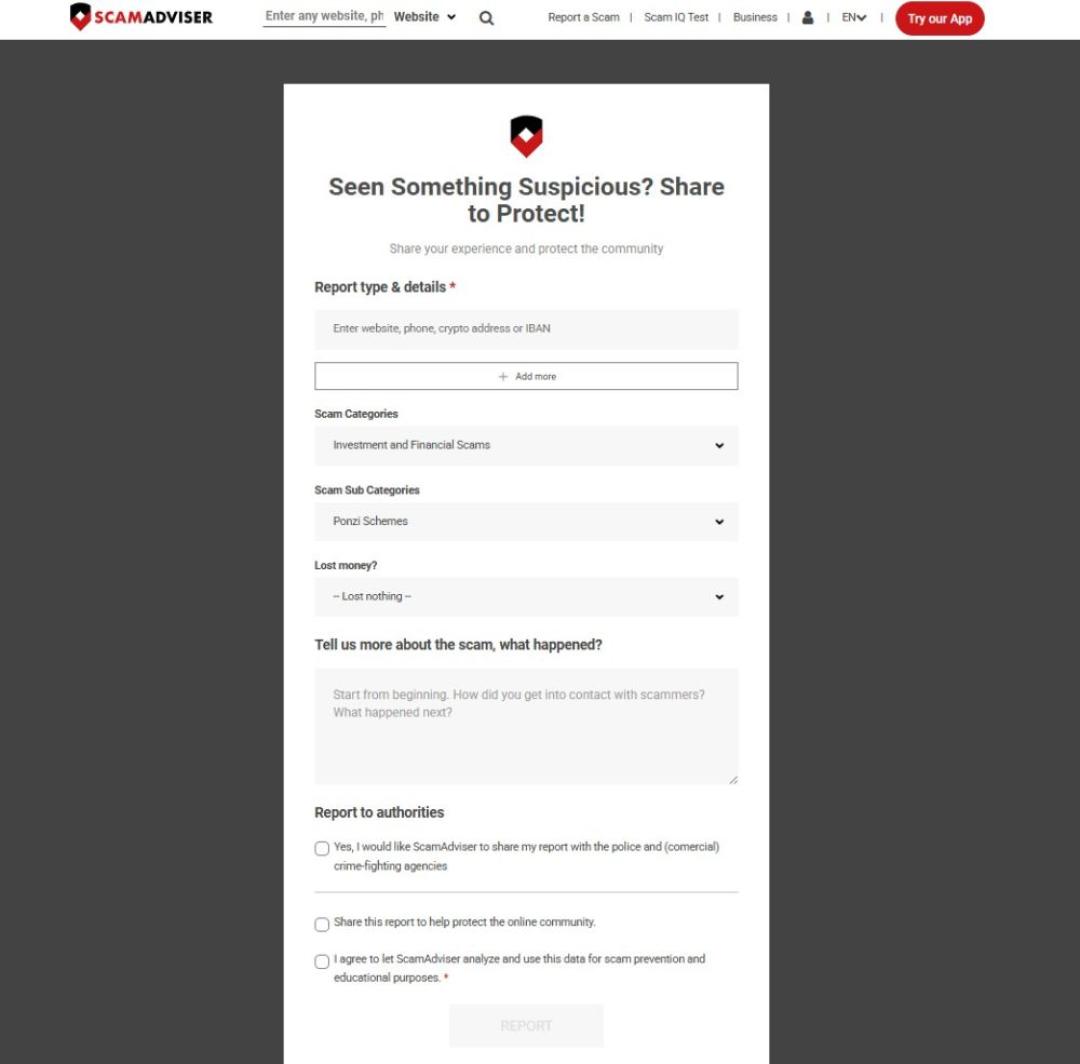
Fill the form in the link and report the website to ScamAdviser so that we can check if it is scam or not (Image Credit: ScamAdviser)
The safest starting point is usually the original source. If you know who made the software, go to that company’s website yourself rather than clicking a random download mirror.
Do the same with documents when possible. If a government agency, university, publisher, or company created the PDF, check whether they host their own copy.
You should also be careful on free streaming and file-sharing pages. Free movie streaming site scams often use fake play buttons, “required” video players, and download prompts that send you somewhere unrelated.
Download website scams depend on you being focused on the file rather than the website giving it to you. Before you click, give the domain, filename, and download button a proper look. Those few seconds can tell you a lot.
Find more of our guides below:
Can I get a virus just by downloading a file?
Many malicious files need to be opened or executed before they can infect a device, although some attacks can exploit software vulnerabilities in other ways.
How can I tell if a download button is fake?
Check whether it sits inside an advertisement, inspect where the link goes, and avoid buttons that send you to unrelated websites.
Is it safe to download APK files from websites?
Some APK downloads are legitimate, but you should verify the source, developer, app version, and requested permissions before installing one.
Are ROM download sites safe?
Some ROM sites may host genuine files, while others use misleading ads, fake installers, or unsafe redirects around the download.
Can a PDF download contain malware?
Yes, malicious documents exist, and fake PDF pages can also give you executable files or extensions instead of the document you expected.
Is a download safe if my browser shows no warning?
No, a missing warning only means the browser has not flagged the file or website; it does not prove the download is safe.
Author: Jamie James
