
In a Nutshell
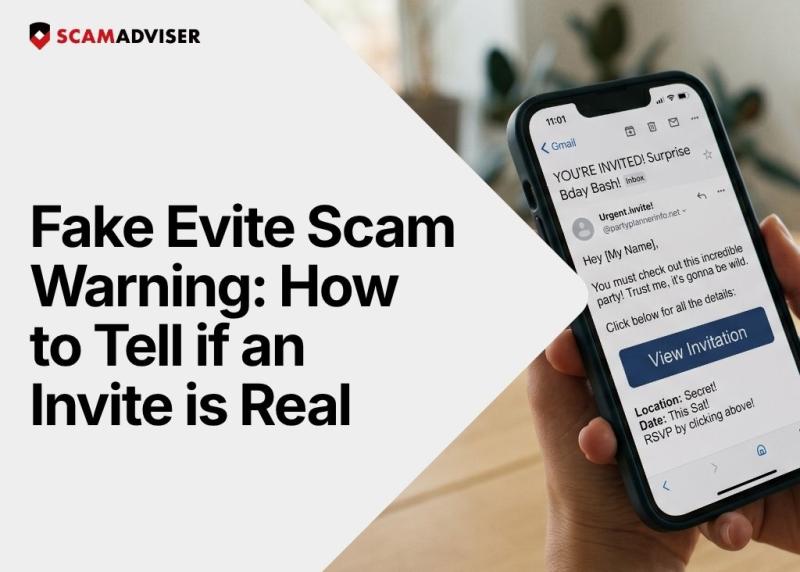
You get an email from a friend inviting you to a summer barbecue or a birthday party, so you naturally click "View Invitation" without a second thought. That exact reflex is what scammers are exploiting right now as fake Evite scams are surging. The most dangerous threats do not come disguised as overdue tax bills or locked bank accounts; they hide in casual, familiar messages that bypass your skepticism completely.
Fake invitation scams work because people trust messages that appear to come from friends or familiar events. You are not expecting a cyberattack wrapped in a baby shower invite, so your guard is completely down. Scammers mix this low-suspicion context with the fear of missing out (FOMO) to rush your click. When you think you are just checking a date or RSVPing to a friend, you stop looking for red flags.
Scammers spoof legitimate email addresses to send you a fake event link that triggers a malware download or steals your login credentials. You receive a message styled exactly like a real Evite, but the "RSVP Now" button links to a malicious website. In many cases, you click the link, the page fails to load, and you assume it is just a dead link — while malware silently installs in the background.
Yes, clicking a malicious invitation link can trigger a "drive-by download" that installs malware on your device instantly. You do not need to download a file or fill out a form for the attack to work. The malicious webpage exploits hidden vulnerabilities in your browser to drop spyware onto your system. The screen might just flash white or show a 404 error, leaving you completely unaware that your device is infected.
Digital invitation platforms use email authentication protocols to stop scammers from forging their official domains. Companies like Evite, Paperless Post, and Punchbowl deploy systems like DMARC (Domain-based Message Authentication, Reporting, and Conformance) to ensure only authorized servers can send emails ending in their official names. However, platforms cannot control what happens when scammers use slight misspellings — like "Evite-RSVP.com" — or hack a real user's personal email account to send fake links.
You can spot a fake invitation by checking the exact sender address and inspecting the link before you click. Follow this six-point checklist:
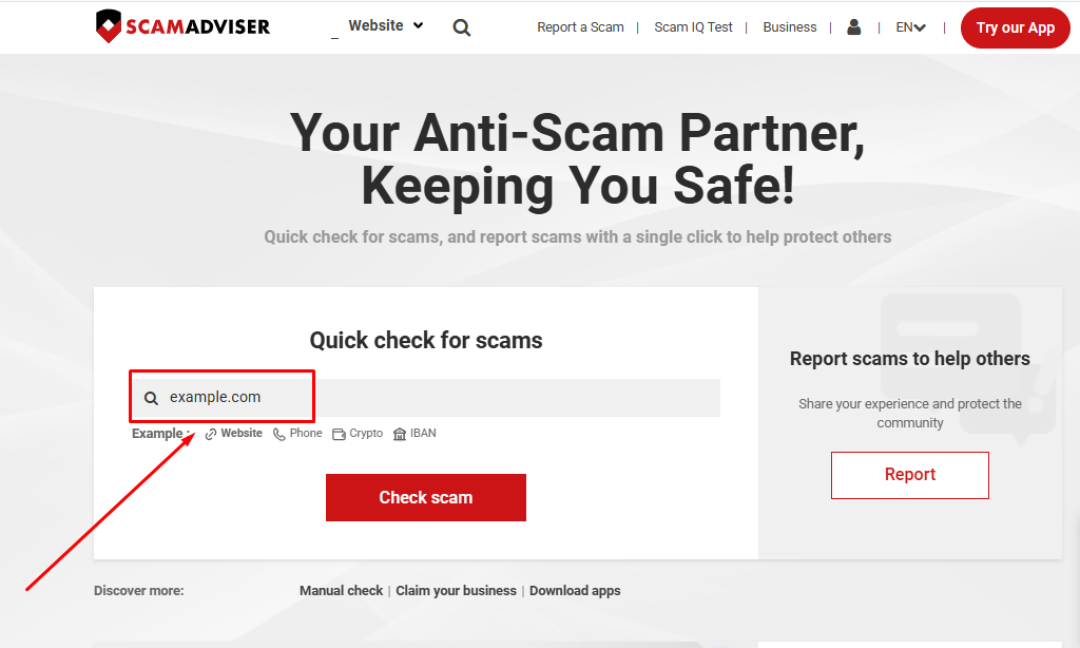
You can verify a suspicious invitation by pasting the RSVP link into the ScamAdviser search bar to check its trust score. Right-click the "View Invitation" button in the email and select "Copy Link Address" without opening it. Paste that exact URL into ScamAdviser to see how long the domain has existed and who registered it. A real Evite link points to an established domain, while a spoofed lookalike will flag as a brand-new, untrusted website registered just days ago.
If a scammer hacks your account through a fake invite, they will immediately use your contact list to launch identical attacks against your friends and family. Your compromised email becomes a weapon, sending out highly believable fake invites because they actually originate from your real address. This creates a chain reaction of stolen accounts, leaving you with severe reputational damage as you explain why your "birthday invite" locked up their computers.
If you interacted with a fake invitation, you must immediately disconnect your device from the internet to stop the malware from communicating with the scammer. Follow these exact steps:
You can report a fake invitation by forwarding the malicious email to the impersonated platform and filing a complaint with national consumer protection agencies. Send the spoofed email directly to the abuse or security contact at Evite, Paperless Post, or whichever platform the scammer faked. Then, report the exact details and links to the Federal Trade Commission at ReportFraud.ftc.gov so authorities can track the campaign.
Scammers rely on dangerous myths about online safety to trick you into opening their fake invitations.
Myth Reality "It’s from a friend, so it’s safe." Accounts can be compromised, and scammers frequently spoof familiar names. "It’s just an invite." It can be a sophisticated phishing or malware link designed to steal credentials. "Nothing happened when I clicked." Malware can run silently in the background without showing any visible signs.Fake Evite scams weaponize your own social circle against you. Scammers know that if they send you a terrifying threat, you might pause and investigate, but if they send you a party invite, you will probably click blindly. Trust is the attack vector, and verification is your only defense.
Take five seconds to hover over the link and verify the sender before opening your next digital RSVP. If an invitation arrives unexpectedly or asks for login details, close it immediately.
If it feels familiar, that is exactly why it works.
Frequently Asked Questions
Can I get a virus just from opening a fake Evite email?
Just opening the email text usually will not infect your device, but clicking any link or downloading an attachment inside it can trigger an immediate malware infection.
Why did I get a fake invite from my best friend's real email address?
Scammers likely compromised your friend's email account and are using their contact list to send out malicious links under a trusted name.
Does Evite ask for your email password to view an invitation?
Legitimate digital invitation platforms will never require your email password just to view a card or submit an RSVP.
How do I check where an RSVP button actually goes?
Hover your mouse cursor over the button without clicking, and look at the bottom corner of your screen to see the true destination URL.
Adam Collins is a cybersecurity researcher at ScamAdviser who operates under a pseudonym for privacy and security. With over four years on the digital frontlines, he specialises in translating complex threats into actionable advice. His mission: exposing red flags so you can navigate the web with confidence.
