
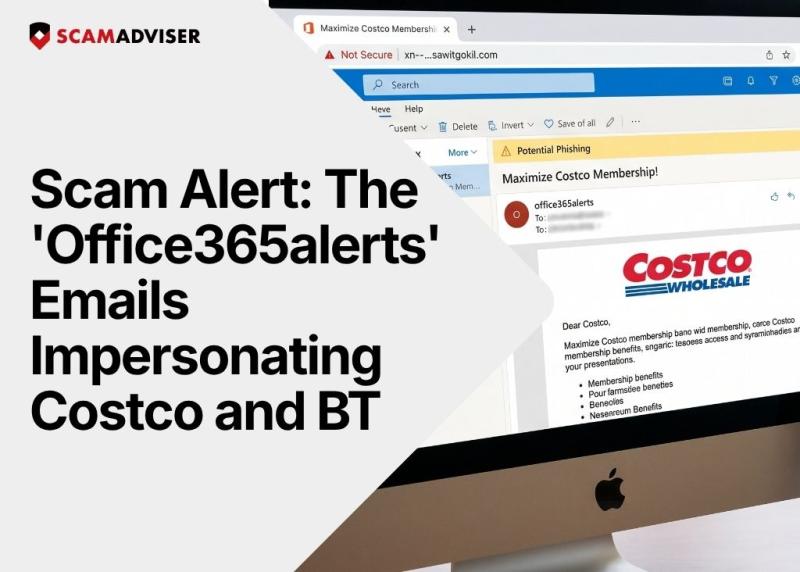
A phishing campaign using the sender name "office365alerts" is circulating fake emails impersonating Costco with subject lines about "Maximizing Your Costco Membership." These emails link to lookalike domains — including at least one Ukrainian-hosted site using Punycode encoding — that are designed to steal your credentials or install malware. Do not click any links.
In a Nutshell
Two distinct phishing emails have been attributed to a sender using the "office365alerts" label:
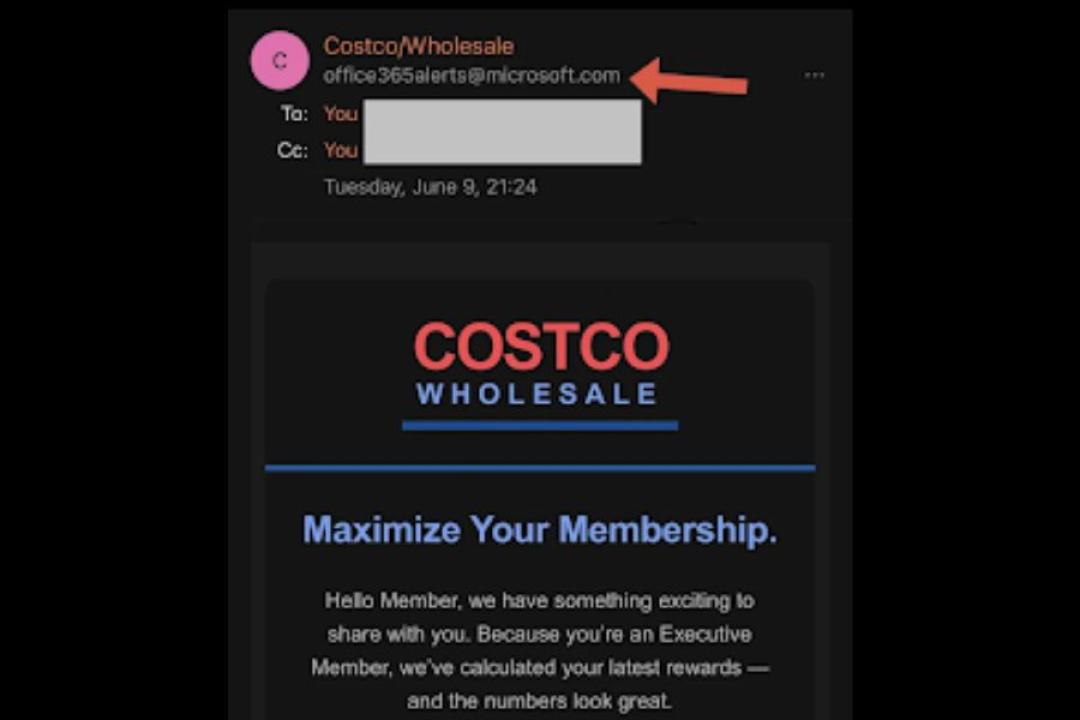
Source: Reddit
That xn-- prefix is the giveaway. It is Punycode — a special encoding used to disguise non-Latin characters in domain names to make them look legitimate in browsers and email clients. The domain itself is hosted in Ukraine, with no connection to Costco or Microsoft. (Source: Reddit r/phishing)
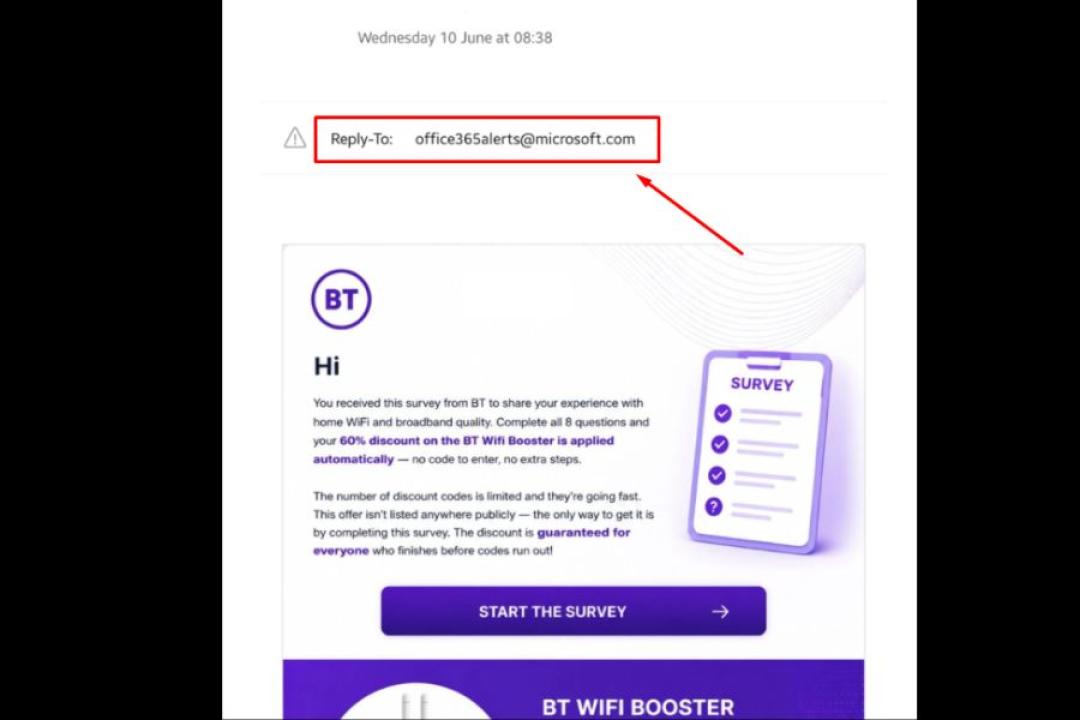
Source: Reddit
This is email spoofing, and it is more common — and easier to pull off — than most people realize.
Email protocols were designed decades ago without authentication in mind. The "From:" field in an email is simply text — any sender can put anything there. Unless the receiving mail server checks for SPF, DKIM, and DMARC records (authentication protocols that verify the sender is who they claim to be), a spoofed address sails straight into your inbox.
In this case, scammers are exploiting the implicit trust people place in @microsoft.com addresses. Seeing that domain, many recipients assume the email is legitimate before reading another word.
Key insight: Receiving an email from a trusted domain like microsoft.com or costco.com does not mean Microsoft or Costco sent it.
The malicious link in the office365alerts Costco email — xn--xgvsmpcra-zna36clafc13b18bk4a3331bea.sawitgokil.com — is a Punycode-encoded domain. Here is why that matters.
Punycode is a method of encoding Unicode characters (non-Latin scripts like Cyrillic, Greek, or Chinese) into the ASCII format that the internet's Domain Name System (DNS) uses. This was designed to allow multilingual web addresses. Attackers have weaponized it.
This technique is known as a homograph attack or IDN homograph attack. Security researchers have confirmed it works reliably in most email clients, including older versions of Outlook.
Use this checklist any time you receive an unexpected email from a brand like Costco, Microsoft, Amazon, or a bank.
The display name ("Costco Customer Service") can say anything. Click or hover to reveal the real sending address. If it is not from @costco.com, it is not from Costco. Watch for subtle substitutions: costc0.com, c0stco.com, or domains with extra words attached.
Hover your cursor over any link in the email. Your email client should show you the actual destination URL in the bottom status bar. If the URL looks strange — especially if you see xn-- at the start — do not click.
Legitimate companies rarely email you with threats like "your account will be terminated today" or "you have 2 hours to respond." Urgency is manufactured to short-circuit your judgment.
If you think an email might be real, open a new browser tab and navigate to the company's official website directly. Do not use any link from the email. Log in there and check for any actual notifications.
Replying to a phishing email confirms to the attacker that your email address is active. This guarantees you will receive more scam attempts.
For the record: Costco will never email you asking for your password, credit card number, or Social Security number. The company's official fraud prevention page states clearly that any email requesting personal or financial information is not from Costco.
Costco has also confirmed it does not accept PayPal as a payment method, so any "Costco" email mentioning PayPal is immediately fraudulent.
If you receive a suspicious email claiming to be from Costco, you can report it directly to Costco's customer service team.
Costco is one of the most impersonated retail brands in phishing campaigns, and the reasons are structural. Membership-based retailers like Costco generate recurring communications — renewal notices, order confirmations, reward notifications — that customers are conditioned to open and act on.
According to recent phishing research by Bitdefender, nearly 37% of global email spam between March and September 2025 targeted recipients in the United States.
Microsoft, Costco, Amazon, American Express, and DocuSign were among the brands most frequently impersonated by cybercriminals during that period.
Read more on how PayPal Scam Uses Docusign to Bypass Security.
What makes modern phishing especially dangerous is AI assistance: scammers now use algorithms to mimic brand tone, replicate logos pixel-perfectly, and personalize messages — making fraudulent emails nearly indistinguishable from legitimate ones.
If you already clicked a link in a suspicious Costco or office365alerts email:
Use a password manager. Password managers will not autofill credentials on a lookalike domain. This is one of the most underrated defenses against phishing.
Bookmark sites you use frequently. Navigate to Costco, your bank, and other regular sites from bookmarks — not from email links.
Enable DMARC/SPF enforcement (if you manage a business email domain). These protocols significantly reduce the chance of spoofed emails reaching your inbox.
Consider a separate email address for retail signups. This isolates shopping-related phishing attempts from your primary inbox.
ScamAdviser is a digital reputation engine that analyzes websites in real-time. Instead of forcing you to guess whether a domain is legitimate, it runs an automated background check on the link to determine its safety.
When you paste a suspicious link into ScamAdviser, its algorithm evaluates the URL using over 40 distinct technical data sources. It then outputs a simple Trust Score:
High Score (close to 100): The domain has a verified track record, reliable infrastructure, and consistent traffic.
Low Score (close to 1): The domain shows immediate red flags for phishing, malware distribution, or counterfeit activity.
In the Costco campaign, scammers rely on complex Punycode (xn--) to trick your browser into displaying a familiar brand name. ScamAdviser exposes this by pulling the true WHOIS data (ownership records) behind the link. It instantly reveals that the domain was newly registered, lacks valid corporate contact details, and is hosted on a high-risk server layout (like the Ukrainian infrastructure used in the office365alerts campaign) completely unrelated to Costco.
ScamAdviser looks at technical data points a standard user cannot easily see:
Practical Ways to Use It
Adam Collins is a cybersecurity researcher at ScamAdviser who operates under a pseudonym for privacy and security. With over four years on the digital frontlines, he specialises in translating complex threats into actionable advice. His mission: exposing red flags so you can navigate the web with confidence.
