

If you received a text or WhatsApp message offering easy money for simple online tasks, you are almost certainly looking at a scam. The Federal Trade Commission warns that these "pay to click" or task scam offers are one of the fastest-growing fraud types in the United States.
The pitch is always the same: click things, earn commissions, withdraw your money. The reality is different. There are no commissions. The "earnings" on the dashboard are fake numbers. And at some point, you will be asked to pay your own money to unlock them. That payment disappears, and so does the platform.
This article explains how these scams work, what the warning signs look like, how to check if a website is legit before you engage, and what to do if you have already sent money.
Key facts at a glance:
A pay to click scam is a fake online job. You are told to complete small digital tasks for a commission. The tasks seem harmless: liking videos, rating product images, reviewing hotel listings, clicking buttons on an app, or "boosting" product pages.
The job is presented as flexible remote work. No experience required. No interview. You can start today.
None of it is real. The platform is built to look like a legitimate gig economy tool, but the only goal is to get you to deposit money.
The FTC uses the term "task scam" or "gamified job scam" in its official warnings. ScamAdviser refers to these as task scams and fake online job platforms. Whatever they are called, the mechanics are identical.
The structure of a pay to click scam follows a predictable pattern. Understanding each stage makes it easier to recognize and exit before losing money.
A message arrives out of nowhere. It comes by text, WhatsApp, Telegram, or social media. The sender claims to be a recruiter for a company you may recognize, or a vague "digital marketing agency."
The message promises high pay for simple work. Phrases like "product boosting," "app optimization," "hotel rating," or "data entry" are common. According to the FTC, real employers do not recruit this way. Legitimate companies use official channels and conduct interviews.
If you respond, you are directed to an app or website. The platform looks polished. There may be a dashboard showing your "commission balance," a task queue, and even a fake support chat.
You complete your first batch of tasks. Usually 40 tasks per set. Your balance ticks upward with each one. The scammer may even let you withdraw a small amount, typically $5 to $20, to prove the platform is real. This is a deliberate trust-building move.
At some point, the platform freezes. You are told one of the following:
The only way to fix it is to send money. Usually cryptocurrency. You send it. The balance resets. Then the same problem appears again. Each payment triggers a new invented obstacle.
Eventually, the platform goes dark. The website stops loading. The recruiter stops responding. The "earnings" you saw on the dashboard never existed. They were numbers in a database, not money owed to you.
The core mechanic: The scammer's goal is never to pay you. Every stage of the process is designed to build enough trust that you will send real money. The small early payout is bait, not proof of legitimacy.
Most victims report that the signs were visible in hindsight. Here are the most reliable indicators that a task platform is fraudulent.
If you see any combination of the above, stop engaging immediately. Do not make another deposit. Do not reply further.
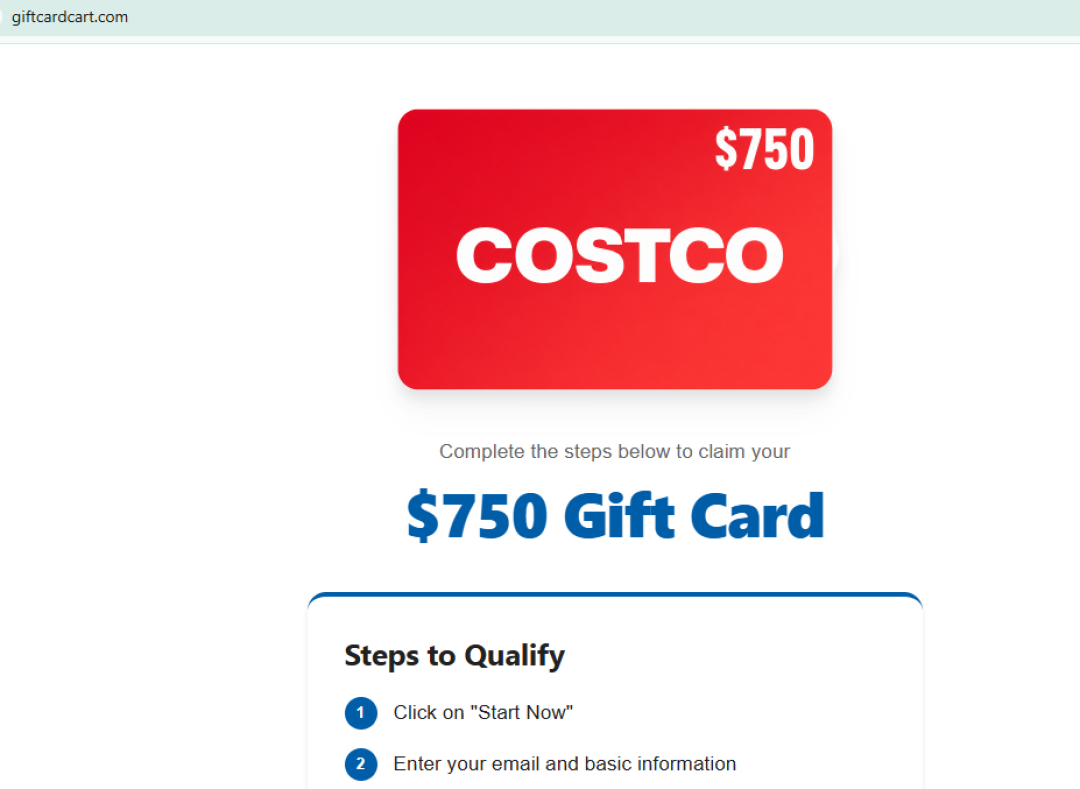
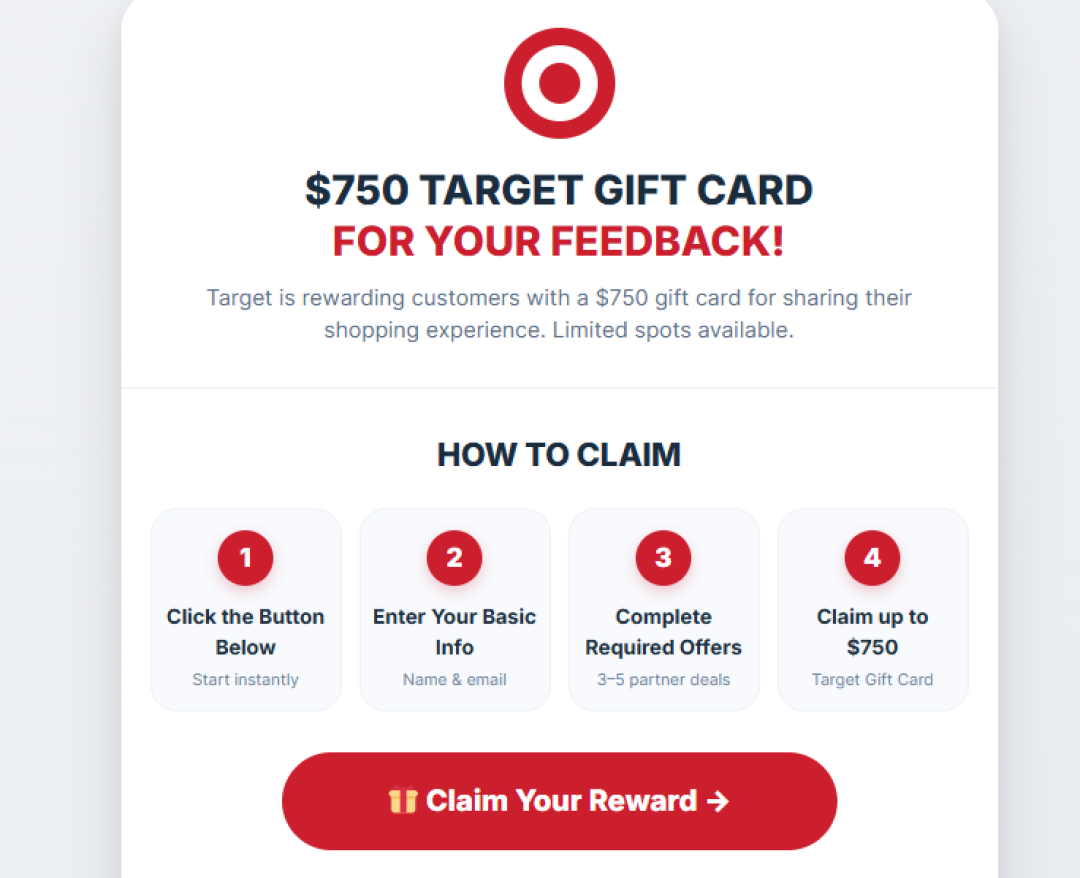
Not every task scam ends with a crypto deposit demand. Some skip the cash payout entirely and promise a gift card instead, using the same task-based mechanics with different bait. There is no legitimate businesses and government agencies that will ask you to pay with a gift card or promise one for completing tasks on a third-party site. If a site uses a major retailer’s name or logo to promote a reward, that promotion almost certainly did not come from the retailer.
Viewzila.com promises small payments for visiting websites, watching ads, and viewing videos, but ScamAdviser gave it a Trust Score of 0 and labeled it “Very Likely Unsafe.” Red flags include hidden ownership, a young domain, a high-risk registrar, cryptocurrency infrastructure, and a paid-to-click model flagged as high risk. Gridinsoft also reported the site as potentially harmful, while no verified payout evidence has surfaced. Read the full ScamAdviser breakdown: Is Viewzila.com Legit or a Scam?
Perklovely.com uses a bigger carrot: a supposed $750 Target gift card in exchange for completing app installs, free trials, and product sign-ups. ScamAdviser gave it a Trust Score of 0 and labeled it “Likely Unsafe,” citing its recent registration, hidden ownership, and lack of any documented connection to Target. The gift card makes the offer feel like a promotion rather than a scam, while retailer branding adds credibility and the lack of an upfront payment lowers suspicion. In reality, users may end up with spam, unwanted subscriptions, and more scam offers while the operators earn affiliate commissions. Read the full ScamAdviser review: Perklovely.com Review: Is the $750 Target Gift Card a Scam?
Both sites follow the same basic pattern: the packaging is different, but the scam structure is the same. One promises small cash rewards, the other a gift card, but both rely on tasks to generate value for the operators while leaving users with little or nothing. A quick website safety check on ScamAdviser can help expose these warning signs before you hand over personal information, sign up for questionable offers, or waste time chasing a reward that was never coming.
Before you create an account on any task platform, run a website safety check. This takes less than a minute and can save you from a significant financial loss.
Paste the URL of the task platform into ScamAdviser's free website checker. The tool scans the site across multiple data sources and returns a Trust Score from 0 to 100.
ScamAdviser flags the following signals, each of which it attributes directly to its own scanning engine:
A Trust Score below 30 from ScamAdviser is a strong signal that the site is not safe to use. A score above 70 does not guarantee legitimacy on its own, but it significantly lowers the risk.
Wondering how to tell if a site is legit beyond the Trust Score? Use these checks together:
The bottom line on website safety: If you are asking whether this site is safe to use, that hesitation is worth acting on. Run the check before you share any personal information or send any money.
Frequently Asked Questions
Are there legitimate pay-to-click sites?
Yes, some micro-task platforms are legitimate, but they pay small amounts and never ask you to deposit money to access your earnings.
Is a site legit because it has good reviews?
Not necessarily; scammers can create fake reviews, so always check independent sources like ScamAdviser.
Can I get crypto back after being scammed?
Recovery is difficult, but contact the crypto exchange immediately and report the scam to the FBI’s IC3.
How do I check a website’s safety?
Run the URL through ScamAdviser’s website safety checker and look for independent reviews.
What if I gave scammers my ID?
Contact your country’s identity protection authority, place fraud alerts where available, and monitor your accounts and credit reports.
Pay to click scams are designed to feel like legitimate remote work. The platforms look real. The early payouts feel real. The group chats sound encouraging. None of it is.
The rule that protects you is simple: no real employer charges you to receive your own earnings. The moment a job platform asks for a deposit, recharge, tax, or upgrade fee, the job does not exist.
Before you engage with any task platform, run a website safety check on ScamAdviser. Check the Trust Score, domain age, and user reports. It takes less than a minute and costs nothing.
If you have already been targeted, report it to the FTC at ReportFraud.ftc.gov and to ScamAdviser. Your report helps protect the next person who searches that platform's name.
Adam Collins is a cybersecurity researcher at ScamAdviser who operates under a pseudonym for privacy and security. With over four years on the digital frontlines, he specialises in translating complex threats into actionable advice. His mission: exposing red flags so you can navigate the web with confidence.
