
In a Nutshell
You bought something on TikTok Shop because the video looked incredible, but now you are staring at a package containing a cheap plastic ring instead of a drone—or worse, nothing arrived at all. You raised a refund request, the seller ignored you or flatly rejected it, and now you feel stuck. It is a frustrating, high-stress situation that thousands of buyers are facing as TikTok Shop becomes a primary target for "ghost shipping" and counterfeit rings.
This is not just "bad luck"; it is often a coordinated TikTok shop refund scam designed to exhaust your patience until the dispute window closes. According to recent consumer data, over 50% of disputed social media purchases fail because the buyer misses a technical deadline or fails to provide the specific "unboxing" evidence platforms require [VERIFY]. This guide outlines the exact sequence to follow to get your money back, moving from TikTok’s internal tools to external financial escalations.
The core mechanic of a TikTok shop refund scam is stalling. Scammers will send "friendly" messages asking you to wait another week or offering a 10% discount to keep the fake item. They do this because they know TikTok’s clock is ticking. You must ignore these messages and start the formal process immediately.
TikTok Shop currently operates on two critical timelines. First, you generally have 30 calendar days from the date of confirmed delivery to initiate a standard return. However, the 90-day TikTok Shop Buyer Protection window is your ultimate safety net for reporting fraud or non-delivery. Once you submit a request, the seller has 2 business days to respond (though for items over $100, they are granted 4 business days to inspect returns). If they ignore the request, TikTok’s system is now optimized to auto-approve the refund to prevent sellers from stalling. This is why starting the paper trail in-app is mandatory—it triggers the countdown that the seller cannot stop.
To open your dispute, navigate to Orders > Select the Order > Return/Refund. When selecting your reason, be brutally honest. If the item is a fake, do not just select "quality issues"; select "Counterfeit" or "Item not as described." You must submit evidence immediately. Scammers win when buyers provide vague photos. You need to upload:
Once submitted, the seller has 2 business days to respond. If they ignore you, TikTok’s system is designed to auto-approve the refund. This is why you must start the paper trail in-app rather than just arguing in private messages.
CRITICAL DEADLINE WARNING: Do not let a seller "promise" you a replacement outside of the refund tool. If they send a second fake item and your 90-day window expires while it's in transit, you lose all leverage. Always keep the dispute active until the money is back in your account.
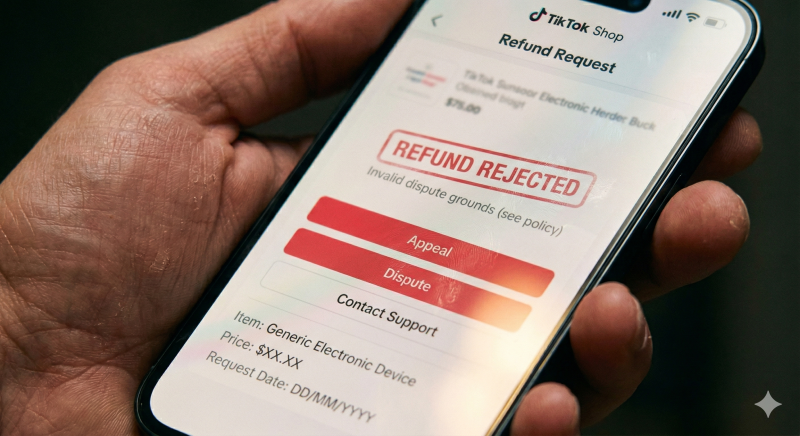
If your TikTok shop refund is not working because the seller "rejected" your claim, do not panic, but act immediately. You now have a very narrow window—often just 48 hours—to update your evidence or 7 calendar days to hit the "Dispute" button to escalate the case to TikTok. If you miss this 7-day window, TikTok's automated system assumes the matter is resolved and will lock the case. Once you escalate, a member of TikTok’s Dispute Team steps in. They don't just look at the seller's claims; they analyze the seller’s "Store Health" and dispute history. If this seller has a pattern of "TikTok shop fake products," your case is fast-tracked for approval.
To win an escalation, you need to prove the "Gap of Deception." This means showing the difference between what was promised and what was delivered. If you ordered a leather jacket and received a polyester shirt, take a photo of the "100% Polyester" tag. If the seller claims the item was delivered but you have no package, provide a screenshot from the carrier’s own website showing the delivery was made to a different zip code—a common "ghost shipping" trick where scammers send a junk letter to a nearby address to trigger a "Delivered" status.
This is the step most people forget, and it is your most powerful weapon when the TikTok shop refund scam succeeds in tricking the platform's internal filters. If TikTok denies your appeal, they are no longer the final authority—your bank is. This is often the only way to resolve a situation where "TikTok shop refund not working" has become a permanent status.
A chargeback is a consumer protection mechanism that allows you to claw back funds directly from the merchant's bank. You are essentially telling your bank, "I paid for a specific service or product, and the merchant committed fraud."
Contact your bank's fraud or dispute department. Tell them: "I am requesting a chargeback for a purchase made on [Date] via TikTok Shop. The merchant sent a counterfeit item/never sent the item. I have exhausted the merchant's internal dispute process, and they have refused to refund me."
Provide the bank with your TikTok order number and screenshots of the rejected appeal. Banks generally allow 60 to 120 days from the transaction date to file these claims. If you paid via an "off-platform" method like a direct bank transfer or Zelle because the seller asked you to, your bank’s ability to help is significantly lower. This is why you should never, under any circumstances, pay for a TikTok Shop item outside of the official checkout.
Getting your money back is the priority, but stopping the scammer ensures they cannot use your "stolen" funds to buy more ads to target the next victim. Reporting is the final step in the recovery process. First, go to the seller's profile page, tap the three dots in the corner, and select Report. Choose "Scam or Fraud." This flags the account for TikTok’s security team, and if enough people do this, the "TikTok shop scam" account will be shadowbanned or deleted.
Next, use ScamAdviser. By reporting the seller’s name or the URL of their shop on ScamAdviser.com, you contribute to a global trust database. This lowers the "Trust Score" of that seller, warning other users before they click "Buy." It is a community-driven defense against professional scammers who frequently change shop names.
Finally, file a report with your national fraud agency. In the US, use ReportFraud.gov (FTC). In the UK, contact Action Fraud. These agencies use your data to track large-scale criminal operations. While they may not investigate your individual $30 refund, your report might be the 1,000th piece of evidence needed to shut down a major international counterfeit ring.
STAY PROTECTED: Before your next purchase, download the ScamAdviser app. It allows you to check the Trust Score of any shop or link in real-time. A 10-second check can prevent the headache of a 90-day dispute.

While the steps above work for most, there are "dead ends" where a refund becomes nearly impossible. You need to know these so you don't waste months chasing a ghost:
TikTok Shop Refund FAQ
How long does a TikTok Shop refund take?
Once approved, the refund usually takes 3 to 5 business days for credit cards and up to 10 business days for debit cards to appear in your account. If it takes longer than 10 days, contact your bank, as the delay is often on the financial institution's end rather than TikTok's.
What if TikTok rejects my dispute?
If your formal Dispute/Appeal is rejected, your final recourse is a bank chargeback. Note that TikTok’s internal decision is final within the app, but it does not override your legal rights as a cardholder. Be aware that filing a chargeback may lead to a temporary restriction on your TikTok Shop account.
Can I get a refund for "TikTok shop fake products"?
Yes. Counterfeiting is a violation of TikTok’s Terms of Service. However, you must provide proof, such as photos showing the lack of official branding or poor quality compared to the authentic version.
Being caught in a TikTok shop refund scam is an infuriating experience that makes you feel like the system is rigged against the buyer. However, by moving through the escalation path—from the initial dispute to the 10-day appeal window and finally to a bank chargeback—you can almost always recover your funds. The key is to act quickly and document everything.
Remember that scammers rely on you being too busy or too tired to fight for your $20 or $50. Don't give them that satisfaction. Report the seller on ScamAdviser to protect the community, and use the ScamAdviser app to run a quick Trust Score check before you hit "Buy" on that next viral product. A few seconds of skepticism is your best defense against the "too good to be true" deals of social media commerce.
Adam Collins is a cybersecurity researcher at ScamAdviser who operates under a pseudonym for privacy and security. With over four years on the digital frontlines and 1,500+ days spent deconstructing thousands of fraud schemes, he specialises in translating complex threats into actionable advice. His mission: exposing red flags so you can navigate the web with confidence.
