
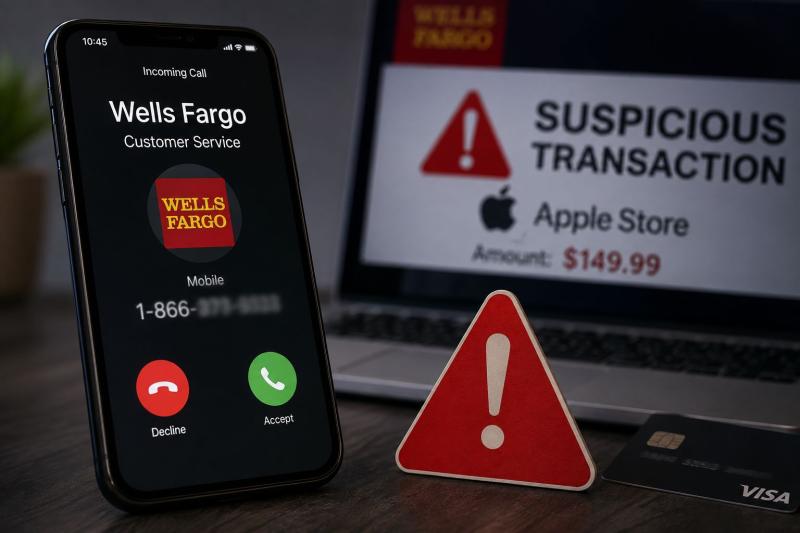
If you receive a call, voicemail, or text message claiming to be from Wells Fargo about a suspicious or declined Apple Store transaction and asking you to call 1-866-672-0001, you should treat it as a scam.
Reports indicate that 1-866-672-0001 is being used or spoofed in robocall scams involving fake Wells Fargo and Apple Store transaction alerts. One reported automated message claims that a transaction at an Apple Store was declined and tells the recipient to call the number immediately.
The Wells Fargo Apple Store Scam Call uses a familiar combination of trusted names, financial fear, and urgency to convince victims to contact fraudsters.
The scam usually begins with an unsolicited phone call, robocall, text message, or voicemail. The message may claim something similar to: A transaction at the Apple Store was declined. If you did not authorize this transaction, call 1-866-672-0001 immediately.
The alleged transaction amount can vary. Victims may be told about a pending or declined charge of often exactly $149.99, $250.45, or similar amount.
The purpose of the message is to create panic. If you believe someone is using your bank account, Apple Pay, or Apple account without permission, you may feel pressured to act immediately. That is exactly what the scammers want.
The Bait: A Fake Apple Store Transaction:
The caller may claim that:
In one reported robocall variation, the automated message claimed to be an alert from Wells Fargo about a declined Apple Store transaction and instructed the recipient to call at 1-866-672-0001.
Even if the message sounds convincing, an unexpected alert containing a phone number should not be trusted.
One of the most dangerous parts of this scam is caller ID spoofing. Scammers can manipulate caller ID information so that a call appears to come from a trusted organization. Your phone may display a name such as Wells Fargo or Apple, even when the actual caller is a fraudster.
Wells Fargo specifically warns that scammers can spoof phone numbers to make calls appear to come from the bank. Apple also warns that scammers may use spoofed caller ID information while impersonating trusted companies.
This means you should not trust a call simply because the name displayed on your phone looks legitimate.
If you call the number provided in the suspicious message, the person answering may pretend to be a customer service representative.
They may then try to obtain:
They may also claim that they need to connect you to another department or transfer you to a Wells Fargo representative.
The Fake Transfer Trap:
A scammer may say something like: "Don't worry. We will safely transfer you to the Wells Fargo fraud department."
However, the supposed transfer may simply connect you to another scammer. Using multiple people or departments can make the operation sound more professional and convincing. But a caller claiming to transfer you between Apple and Wells Fargo does not prove that either company is genuinely involved. The safest option is to end the call and contact the organization yourself using verified contact information.
The Remote Access Trap:
In some variations, fraudsters may ask victims to install remote access or screen sharing software. They might tell you that software such as AnyDesk, TeamViewer, QuickSupport, or another screen sharing tool is needed to help secure your device, which actually gives them total access to drain your accounts. So, do not do this.
Do Not Trust Caller ID Alone:
A phone displaying Wells Fargo or Apple does not guarantee that the call is genuine. Caller ID can be spoofed.
Never Share Your Password or Security Codes:
Do not give anyone your:
Wells Fargo warns customers not to share private account information or one-time access codes with unexpected callers. Apple explicitly discusses phony support calls, spoofed phone numbers, unauthorized Apple Pay charges, passwords, and security codes and also states that it does not ask customers to provide passwords or verification codes to receive support.
Do Not Move Money to Protect It:
A common bank imposter tactic is telling victims that they must move money to a safe or secure account. This is a major red flag. Wells Fargo will not ask customers to move or send money to protect their funds, reverse a transaction, receive a refund, or fix a supposed account problem.
Do Not Call Numbers Included in Suspicious Messages:
Instead of calling the number provided by the caller or text message, independently find the organization's official contact information. You can find Wells Fargo's official advice about this type of fraud in its guide on identifying and avoiding bank imposter scams.
To help prevent further scams, you can forward any suspicious text alerts you receive directly to Apple at: reportphishing@apple.com
The Wells Fargo Apple Store robocall directing people to 1-866-672-0001 should be treated as a scam. The reported scheme uses fake or spoofed alerts about suspicious Apple Store transactions to create panic and convince recipients to contact fraudsters. The criminals may impersonate Wells Fargo or Apple, request sensitive information, ask for one-time security codes, attempt to move your money, or try to gain remote access to your device.
The most important rule is simple: never trust an unexpected call, text, or voicemail just because it displays the name of a well known company.
If you are concerned about a real transaction, hang up and contact your bank or Apple directly through an official website, app, or phone number you independently verify.
Disclaimer: The information in this article is provided for educational and awareness purposes. Company names, phone numbers, sender names, and other details referenced may have been impersonated, spoofed, or otherwise misused by scammers. Their appearance in this article does not necessarily identify the legitimate company, owner of a phone number or account as being involved in fraudulent activity.
This article has been written by a Scam Fighter Contributor, De-Reviews.com Team. If you believe the article above contains inaccuracies or needs to include relevant information, please contact ScamAdviser.com using this form.
De-Reviews.com Team is a group of scam researchers, editors, and online safety advocates dedicated to exposing online fraud and helping consumers stay safe online. The team has been investigating scams, fraudulent websites, phishing campaigns, and other online threats since 2014. Read the Full Author Profile.
