
In a Nutshell
Every single day, 3.4 billion phishing emails are sent globally, and over 90% of all cyberattacks begin with a single malicious message according to Cybernews in 2026. You might see an urgent alert from "Netflix" about a billing failure or a "Microsoft" security notification claiming your account was accessed from a foreign country. One wrong click can hand your life savings or corporate login credentials directly to a criminal network.
The old red flags, bad grammar, awkward wording, obvious spelling mistakes, are fading fast. Scammers are now using AI tools to write messages that sound completely natural, even polished. Currently, 82.6% of phishing emails use AI to generate flawless, professional prose that mimics legitimate brands perfectly according to Cybernews. These AI-generated phishing emails have a 60% higher click rate than traditionally crafted messages because they lack the linguistic "red flags" of the past.
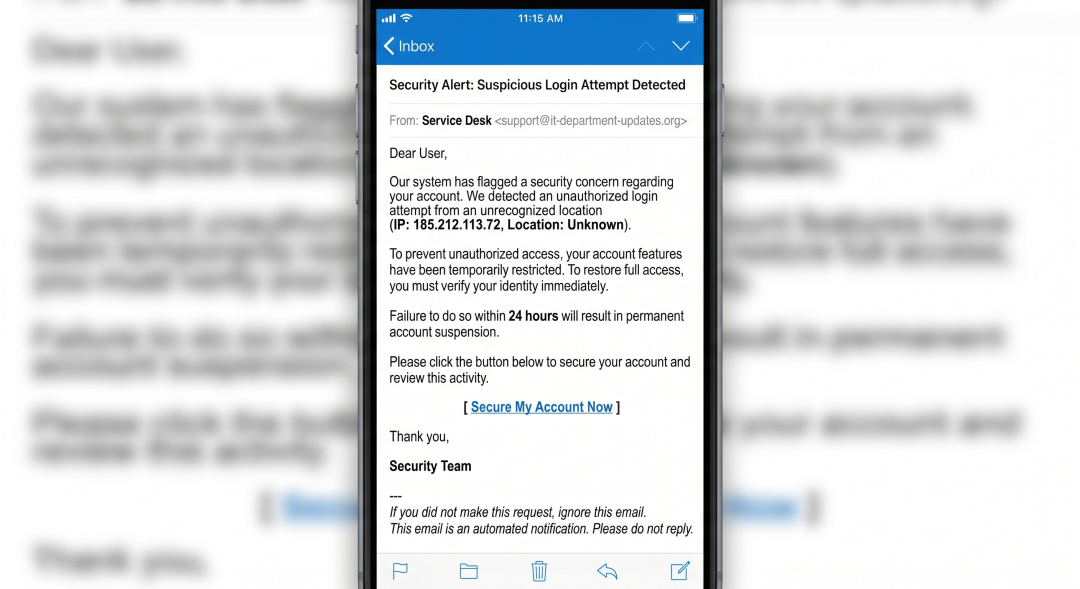
Scammers now use Large Language Models to personalize attacks at scale, translating templates into perfect English or any other language. You can no longer assume a message is safe just because it looks "official" or is written clearly. You must verify the underlying technical markers—like the sender's domain and the destination URL—rather than the quality of the writing.
Phishing is no longer limited to your inbox; it has evolved into several distinct delivery methods. Email Phishing remains the most common, where a scammer sends a broad blast of messages disguised as a bank or service provider.
Spear Phishing is a targeted attack where the scammer uses your specific name, job title, or recent activity to trick you into trusting them.
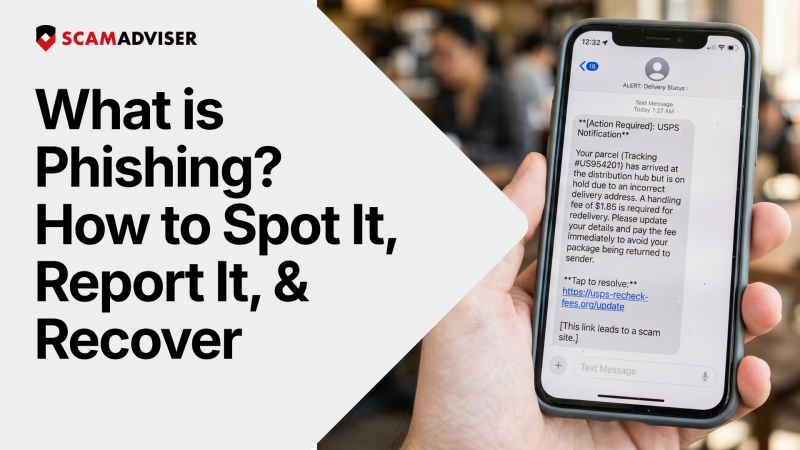
Smishing occurs via SMS text messages, often claiming "your USPS package is held at our warehouse" to get you to click a tracking link.
Vishing is voice-based phishing where a "technician" or "IRS agent" calls you to demand immediate payment or remote access to your computer. Finally,
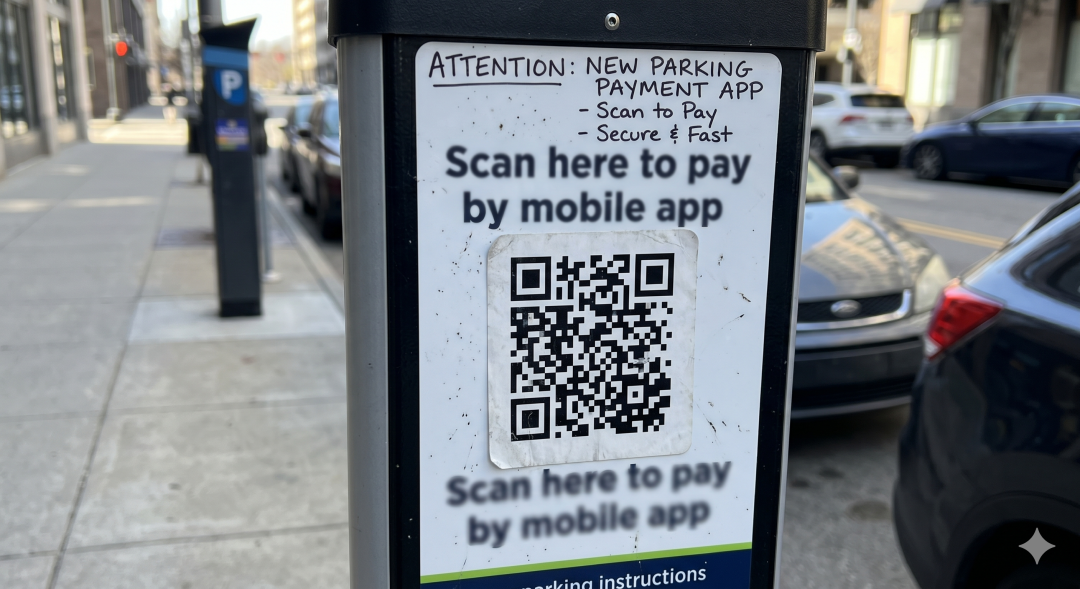
Quishing uses malicious QR codes—often pasted over real ones on parking meters or restaurant menus—to redirect your phone to a credential-stealing website.
To spot a phishing email guide your eyes to the technical headers first. Check the spoofed sender domain by hovering over the "From" name; a real email from PayPal will come from @paypal.com, not @secure-paypal-notice.net. Look for urgency language designed to trigger panic, such as "Your account will be deleted in 2 hours" or "Unauthorized login detected."
Hover your mouse over any link without clicking to see the mismatched URL in the corner of your browser. If the button says "Update Billing" but the link points to a random string of numbers or an unrelated domain, it is a scam. Be wary of generic greetings like "Dear Valued Customer" and suspicious attachments, especially .zip or .html files, which can execute malware the moment you open them.
Reporting a phishing email does more than just clean your inbox; it feeds global threat intelligence. In Gmail, click the three-dot "More" menu next to the Reply button and select "Report phishing." In Outlook, use the built-in "Report" button on the ribbon or forward the message as an attachment to phish@office365.microsoft.com.
You should also report these attacks to central authorities to help shut down the scammer's infrastructure. Universally, you can forward any phishing email to reportphishing@apwg.org, which is managed by the Anti-Phishing Working Group. In the United States, report the incident to the FTC at reportfraud.ftc.gov and the FBI via the Internet Crime Complaint Center at ic3.gov. These reports trigger ISP actions that take down malicious websites and protect thousands of other potential victims.
If you clicked a link but haven't entered data yet, close the tab immediately and do not interact with the page. If you entered your username and password, change your credentials on that site and every other site where you use that same password. Enable Multi-Factor Authentication (MFA) immediately; this provides a second layer of security that stops a scammer even if they have your password.
If you downloaded an attachment, disconnect from Wi-Fi or unplug your ethernet cable immediately to prevent malware from communicating with the scammer’s server. Run a full malware scan using a reputable security suite to identify and remove any hidden keyloggers or ransomware. Finally, monitor your bank statements and credit reports for any "unauthorized" transactions that may appear in the following weeks.
You can use several free resources to verify suspicious links before you interact with them. Google Safe Browsing is built into most browsers and blocks known malicious sites, but you can also manually check URLs using the ScamAdviser URL checker. This tool analyzes the age of the domain and its technical reputation to give you a "Trust Score" in seconds. Other community-driven databases like PhishTank allow you to see if a specific link has already been reported as a scam by other users.
Treat every unexpected request for your data or money as a potential attack until you prove otherwise. Reporting these attempts is the most effective way to break the scam cycle and protect your community. Your distrust is the most powerful firewall you own.
FAQs
What is phishing in simple terms?
Phishing is a scam where criminals trick you into giving away sensitive information—like passwords or bank details—by pretending to be a trusted source.
Can phishing happen outside of email?
Yes. It can happen through text messages (smishing), phone calls (vishing), and even QR codes (quishing).
Is a well-written email always safe?
No. AI now allows scammers to create perfectly written messages, so grammar is no longer a reliable warning sign.
What is the safest way to check a suspicious message?
Do not click any links. Instead, go directly to the official website or app and check your account from there.
Adam Collins is a cybersecurity researcher at ScamAdviser who operates under a pseudonym for privacy and security. With over four years on the digital frontlines and 1,500+ days spent deconstructing thousands of fraud schemes, he specialises in translating complex threats into actionable advice. His mission: exposing red flags so you can navigate the web with confidence
