
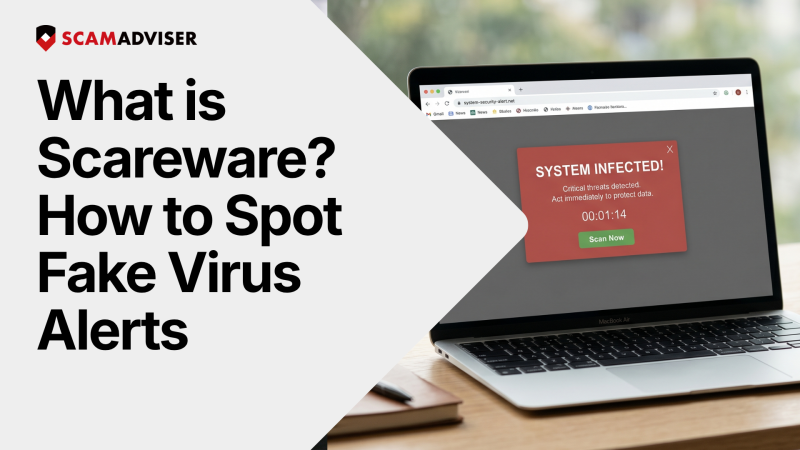
That “virus alert” isn’t real — it’s engineered to scare you into paying fast. Learn the warning signs and how to shut it down before it costs you money.
In a Nutshell
Scareware is a type of fake security alert that appears in your browser, designed to frighten you into calling a fraudulent phone number, paying for unnecessary software, or granting remote access to your device. The alert is entirely fabricated — no virus scan has occurred, and your system is not infected.
This matters because web browsers are technically sandboxed environments. They do not have permission to scan your computer’s hard drive for viruses unless you manually download and run an executable file. Any virus count shown in a browser window is a scripted illusion built to trigger panic.
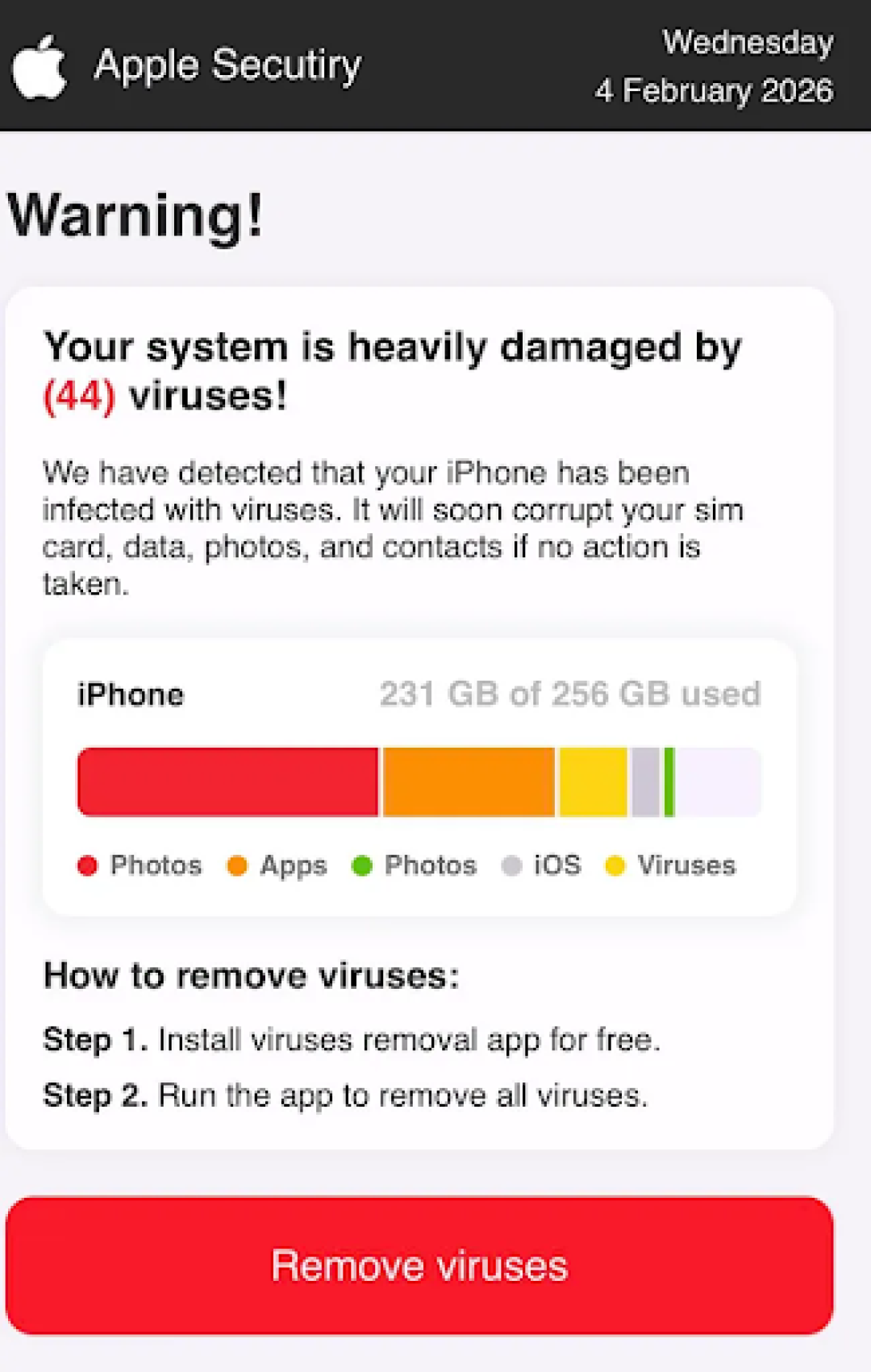
The screenshot below shows a scareware pop-up impersonating Apple’s security interface. This type of message may arrive via a dodgy email, a malicious ad, or a hijacked website.
What this scam does
The message claims your iPhone is “heavily damaged by 44 viruses” and presents a fake storage bar showing your device at near-full capacity — a visual trick to simulate urgency.
It then instructs you to tap “Remove viruses” — a link that either redirects you to a phishing website designed to harvest your credentials, or initiates a malware download to your device.
Notice the red flags:
Technical support scams and scareware have reached record levels. According to the FBI’s 2025 Internet Crime Report, losses from tech support fraud exceeded $2.1 billion — a significant jump from $1.3 billion in 2023.
Modern scammers now use AI-generated voice clones and deepfake branding to impersonate real Microsoft or Apple technicians. You might be browsing a familiar site when your screen locks, a synthetic voice warns of a “Zeus Virus,” and a toll-free number flashes in red. This is a psychological trap designed to make you pay for a problem that does not exist.
Scammers rely on an amygdala hijack — a state where fear overrides rational thinking. Here is how to recognise it in the moment:
The red flags: Flashing lights, loud sound effects, or a countdown claiming data will be “deleted in 60 seconds.”
The reality: Real security software provides calm, factual logs of blocked threats. It never uses theatrical elements or ticking clocks to get your attention.
Browser hijacking can prevent you from clicking away or closing a tab. Instead of clicking “OK” or “Cancel” — which can trigger a stealth download — kill the process at the system level:
Modern scareware uses browser fingerprinting to gather your IP address, city, and operating system. The pop-up might correctly state you are using “Windows 11 in Nairobi,” but this is public data shared by your browser automatically. The presence of your IP address does not mean a remote scan has taken place.
Many fake virus alerts appear in your desktop notification tray because you once clicked “Allow” on a malicious site’s notification prompt. To stop them:
This stops the pop-up barrage instantly — no expensive “repair tool” required.
If you clicked a link or downloaded a “repair tool,” take these steps immediately:
The most effective defence is proactive filtering. Use a reputable ad-blocker such as uBlock Origin and keep your operating system updated. Remember: a web browser cannot scan your computer’s physical hard drive for viruses unless you manually download and run an executable file.
Report fraud: If you have been targeted, file a report at ic3.gov (USA), reportfraud.ftc.gov (USA), or actionfraud.police.uk (UK).
Frequently asked questions
Why do I see a specific number of detected viruses on a website?
Websites are technically incapable of scanning your local files. Any “virus count” shown in a browser is a fake script designed to trigger panic — the number is randomly generated.
Is a technician on the phone real if they sound professional?
Modern scammers use AI voice cloning to mimic legitimate support agents. However, their goal is to gain remote access to your banking information, not to fix your device. Hang up and contact the company directly through their official website.
Why do virus alerts appear even when my browser is closed?
You likely granted a malicious site “Notification” permissions, which allows it to send fake alerts directly to your desktop through your system’s background processes. Remove the site from your browser’s notifications settings.
What is the safest way to get rid of a locked scam screen?
Never click anywhere on the window. Use Task Manager (Windows) or Force Quit (Mac) to kill the browser process entirely, then reopen your browser without restoring the previous session.
Adam Collins is a cybersecurity researcher at ScamAdviser who operates under a pseudonym for privacy and security. With over four years on the digital frontlines and 1,500+ days deconstructing thousands of fraud schemes, he specialises in translating complex threats into actionable advice.
