
In a Nutshell
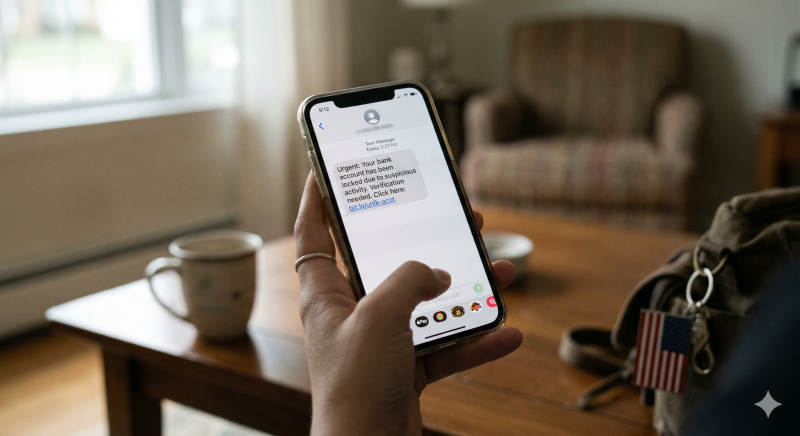
Listen, we’ve all been there. You’re waiting for a package or a quick bank update, and suddenly your phone buzzes with an "Urgent: Action Required" text. It looks real, it feels urgent, and it’s sitting right there in your private messages.
That’s Smishing (SMS + Phishing), and it’s getting a lot smarter. Scammers have traded in their obvious typos for high-end AI that mimics a brand’s exact tone and branding. Here’s the lowdown on how to keep your data safe without becoming a digital hermit.
Gone are the days when a "Nigerian Prince" was the biggest threat to your inbox. Today, billions of smishing messages flood phones globally every year. We’ve seen a massive shift where a huge portion of these attacks are now AI-generated. This means the texts are hyper-personalized, perfectly punctuated, and timed to hit right when you’re actually expecting a delivery or filing your taxes.
The financial hit is massive—scammers walk away with billions every year by tricking people into clicking links for fake road tolls, "missed" government refunds, or utility shut-off warnings.
While scammers are getting better, they still rely on one thing: the pressure tactic. They want you to panic-click before your brain catches up. If a text demands an immediate response to avoid an "account suspension" or a "legal fine," take a breath. That’s your first red flag.
Another trick to watch for is "ID Spoofing." A scam text can actually show up in the same thread as your legitimate bank or carrier messages. Just because it’s in the "Chase" or "Verizon" thread doesn't mean they sent it.
Remember: A legitimate company will almost never text you a direct link to a login page.
If you’re staring at a link and wondering if it’s legit, don’t guess. Use ScamAdviser. It’s essentially a lie detector for the internet.
When you paste a URL into ScamAdviser, it runs a deep-dive check on dozens of data points—like how old the site is, where the server is hidden, and if the owner is masking their identity. It spits out a Trust Score from 1 to 100. If that score is low, that "delivery update" is actually a data trap.
The best defense is a "Zero-Trust" policy for your texts. If you get a suspicious alert, don't tap the link. Instead, close the message and open the official app for that service (like your banking or postal app). If there’s a real problem, you’ll see the notification there.
Also, help the rest of us out! Forward any scam text to 7726 (it spells "SPAM" on a keypad). This sends the data straight to your carrier so they can blacklist the sender's number and protect others.
FAQs: Everything You’re Wondering
Q: I clicked the link but didn’t enter info. Am I safe?
Not necessarily. Some links are designed to confirm that your phone number is active, which leads to even more spam, or they may attempt to install malware in the background. If you clicked, it’s a good idea to run a security scan on your phone and clear your mobile browser's cache.
Q: Why am I getting more texts than emails now?
Because you’re more likely to open them. We tend to ignore our cluttered email inboxes, but we check our texts almost instantly. Scammers call this the "Mobile Trust Gap," and they’re exploiting our habit of trusting our lock screens.
Q: Can a short-code (5 or 6-digit) number be a scam?
Yes. While many scammers use standard 10-digit numbers, professional fraud groups can lease short-codes to look more official. Always verify the content and the link, not just the sender's number format.
Stop guessing and start knowing. The ScamAdviser app acts like a digital bodyguard for your phone, providing real-time protection before you accidentally hand over your info.
Adam Collins is a cybersecurity researcher at ScamAdviser who operates under a pseudonym for privacy and security. With over four years on the digital frontlines and 1,500+ days spent deconstructing thousands of fraud schemes, he specializes in translating complex threats into actionable advice. Adam’s mission is simple: exposing red flags so you can navigate the web with confidence.
