
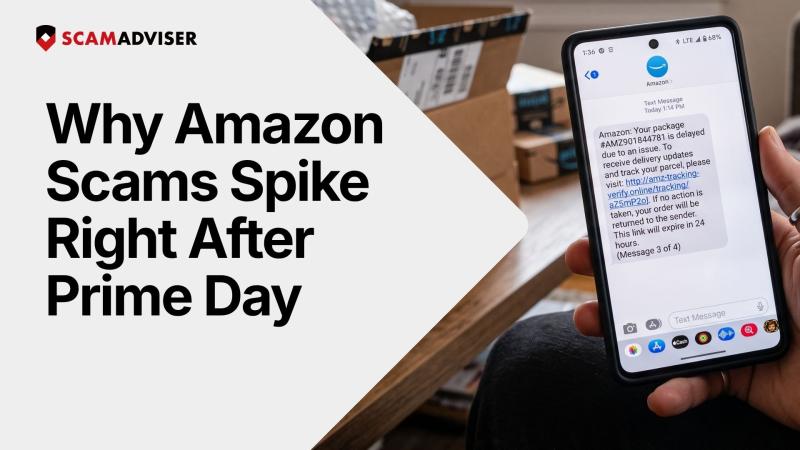
Scammers don't need to guess who shopped on Prime Day. They just send mass texts and emails to everyone, knowing a huge share of the population is currently waiting on a package. Fake order confirmations, shipping alerts, and refund offers blend right into a crowded inbox at the exact moment people expect real ones to arrive. That's the whole strategy, and it works because of timing, not trickery.
Big shopping events pull in big crowds, and bad actors follow the crowd. Scamadviser's threat network has tracked this pattern for years, and what's changed recently isn't the basic scam, it's the scale and automation behind it.
The numbers behind this year's scam surge
Scammers don't stick to one channel. They use email, phone calls, social media, and text messages, often switching between them depending on what's working that week. During the 2025 shopping season, Amazon notes that the most common tactic was a phone call asking customers for credit card details to "pay for" a recent order. Phishing texts, known as smishing, tend to spike in the days right after Prime Day, when people are actively expecting delivery and refund updates.
Three documented campaigns show how organized this has gotten.
~ The "amazoncredito" cluster. A single threat actor bulk-registered 46 domains built around variations of "amazoncredito," targeting Spanish and Portuguese speaking shoppers. The domains were generated automatically, registered through bulk API calls on cheap extensions like .shop and .online, and given free SSL certificates the moment they went live. Each one copied Amazon's footer text word for word and offered a fake "promotional credit" to harvest card numbers. More detail on this case is available from Domainscan.in.
~ The "Payment Not Authorized" PDF scam. Instead of texts, this campaign used emails with PDF attachments titled something like "Important: Amazon Prime Membership on Hold." Hiding the malicious link inside the PDF rather than the email body let the message slip past spam filters that only scan email text. Opening the PDF led to a claim that a card charge had been declined and the account frozen, with a link to a fake login page on a barebones server.
~ The aged domain strategy. This one runs on patience. Scammers register Amazon themed domains months ahead of a sale, then let them sit untouched for 60 to 90 days. An aged, inactive domain looks safe to reputation based security filters, which usually flag brand new domains right away. By the time these domains activate on Prime Day itself, they've already built up enough trust to slip past basic checks, even though a meaningful share are confirmed malicious. Check Point Research has covered this pattern in detail, summarized by TheNextWeb.
When a suspicious link gets checked, the system looks at signals that aren't visible to the average shopper:
Frequently asked questions
Why am I getting Amazon scam texts even though I didn't buy anything on Prime Day?
Scammers send these messages to huge lists without knowing who actually shopped. Since tens of millions of people order something during Prime Day, the odds are in their favor regardless of who they target.
Can I get hacked just by opening a scam email or text?
Opening the message itself rarely causes harm. The risk starts when you click the link, download the attachment, call the number provided, or enter your login or card details into the page that follows.
How can I tell a real Amazon email from a fake one apart from checking my orders?
Look at the sender's actual email address rather than the display name, and check whether the link matches amazon.com exactly. Anything asking for urgent payment or account verification through a link is worth treating as fake until proven otherwise.
Does this only happen around Prime Day?
No. The same pattern shows up around Black Friday, Cyber Monday, and the holiday shopping rush. Any event that creates a surge of real transactions gives scammers cover to hide behind.
What's the fastest way to check if a link is safe?
Paste the URL into Scamadviser before clicking it directly. It checks ownership transparency, hosting patterns, and certificate age in seconds, all things that are hard to spot just by looking at a link.
See more content from ScamAdviser
Adam Collins is a cybersecurity researcher at ScamAdviser who operates under a pseudonym for privacy and security. With over four years on the digital frontlines, he specialises in translating complex threats into actionable advice. His mission: exposing red flags so you can navigate the web with confidence.
